
Which reservation type should I use?
Dual, solo, shared flight, rental, guest, ground, sim and maintenance. The type decides what resource is booked, who may be on it, how many, and who gets the invoice, so picking the wrong one is the most common reason a booking is refused.
For owners, admins, dispatchers, instructors, students, renters and technicians
The type is the first field on the booking form and it decides everything under it: what kind of resource is booked, who may be on it, how many people fit, and who gets the invoice. Picking the wrong one is the most common reason a booking is refused.
The eight types at a glance#
| Type | What it books | Who is on it |
|---|---|---|
| Dual | Aircraft (or nothing) | 1 instructor and up to 4 students |
| Solo | Aircraft | Exactly 1 pilot |
| Shared flight | Aircraft | 2 or more pilots, no instructor. Up to 4 students and 4 renters |
| Rental | Aircraft | Up to 4 renters |
| Guest | Aircraft | 1 guest, plus an instructor if you want one |
| Ground | Room | Up to 2 instructors and 12 students |
| Sim | Simulator | Up to 2 instructors and 6 students |
| Maintenance | Aircraft | No crew; technicians optional |
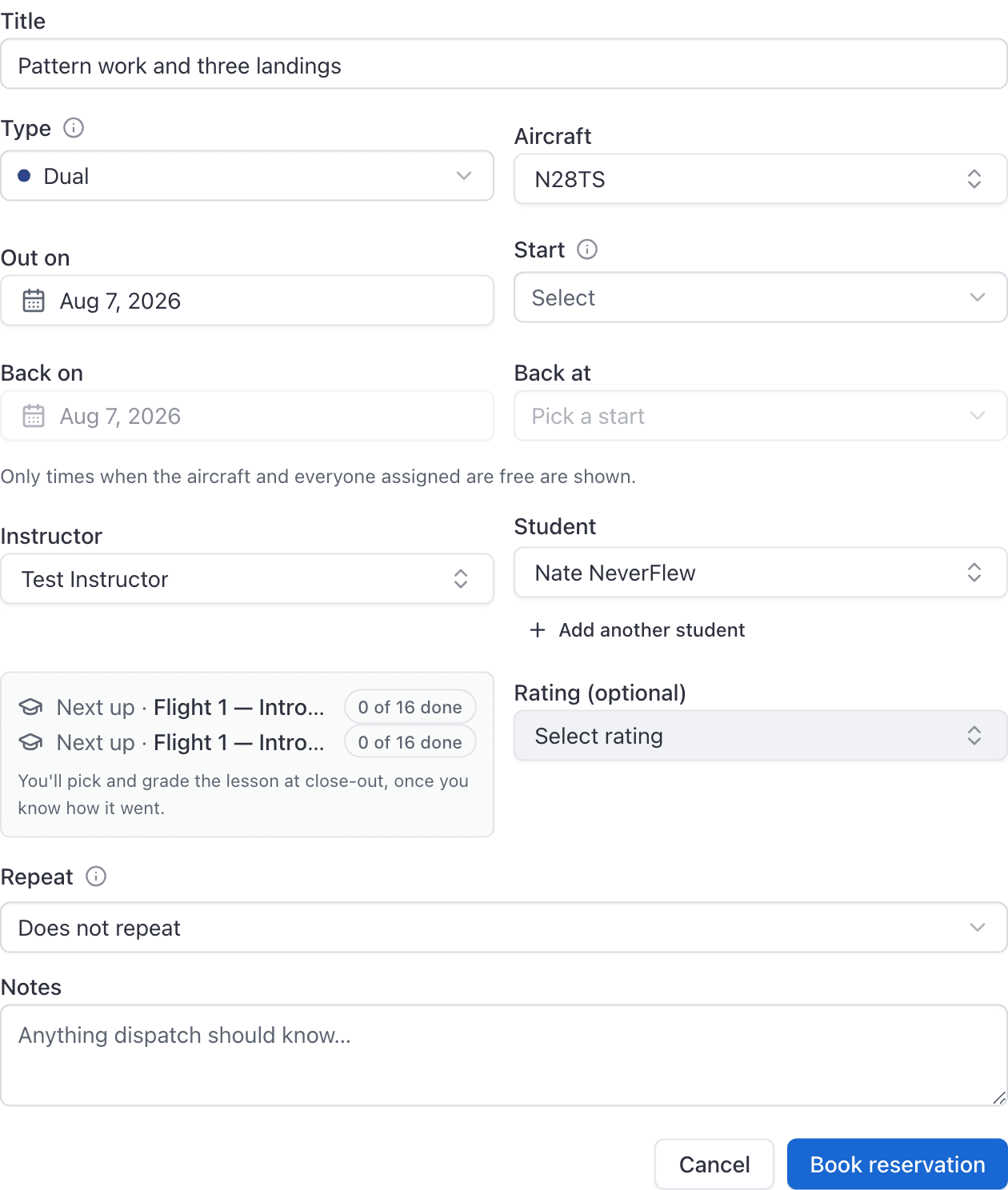
Dual, solo and shared flight#
These three are where most of the confusion lives, and the difference is not stylistic.
Dual is an instructor flying with a student. It is also the only type the booking form accepts with no aircraft at all, which is how you book a briefing or a ground session in no particular room.
Solo is one pilot alone. Adding a second person is refused:
A solo has one pilot. Book a dual if an instructor is flying with a student.
That is not a product limitation. 14 CFR 61.87 defines solo time as time when the student is the sole occupant, so a two-person solo would be a false record.
Shared flight means two or more pilots sharing one aircraft with no instructor: a cross-country split between two renters, or safety-pilot work under 91.109. It is refused both ways round:
A shared flight is two or more pilots sharing one aircraft. With one pilot, book a solo or a rental instead.
A shared flight has no instructor. With an instructor aboard it's a dual.
A shared flight raises one invoice per payer, not one invoice with shares inside it. See Split a flight between two or more people.
Rental and guest flights#
Rental is a renter taking an aircraft with no instruction. It takes renters only, so no instructor field is offered. When a renter books one themselves, they see the aircraft they are checked out on.
Guest is a discovery or introductory flight for somebody who has no account. It needs an aircraft, and it needs the guest's email address, because that is where the invoice goes:
Enter a valid email. The guest's invoice is sent there.
A guest never signs anything. An admin or the instructor on the flight closes it out with Close out and bill guest, and the guest is emailed a link to pay by card. See Close out and bill a discovery or guest flight.
Ground and sim sessions#
Ground books a room. Sim books a simulator. The resource field on the form relabels itself to match, so if you are looking for the aircraft picker and finding a Room picker, check the type.
A Ground lesson never ramps out. Nothing has a Hobbs meter in a classroom, so the close-out button reads Review times and instruction time is the only figure recorded. See Close out a ground lesson.
A Sim session is not the same. A simulator carries meters, so a sim booking gets the normal Ramp out and Ramp in buttons and asks for Hobbs and tach readings, exactly like a flight.
Maintenance#
Maintenance blocks the aircraft for the whole window and carries no crew: no instructor, student or renter, because nobody flies or pays for it. Trying to put one on is refused:
A maintenance booking can't have anyone assigned to it. It takes the aircraft off the line.
Maintenance is also the one exception to grounding. A grounded aircraft can be booked for maintenance and nothing else, because the booking exists to get it back in service.
Who does the work goes under Technicians on the booking: people with the technician role, who get it on their calendar and are told. Owners, admins and technicians also see a Work order field: link an open work order on that aircraft, or choose Open a new work order, which opens with the booking's technicians. Picking a job while Technicians is empty copies the job's technicians onto the booking. The booking's notes become a new job's request. See Book an aircraft in for maintenance and Run a work order.
A maintenance booking appears on WebYou → Schedule for the person who created it and for each technician on it.
What each type books#
| Type | Resource picker is labelled |
|---|---|
| Dual, Solo, Shared flight, Rental, Guest, Maintenance | Aircraft |
| Sim | Simulator |
| Ground | Room |
Which types your role can create#
| Role | Types offered |
|---|---|
| Owner, admin, dispatcher | All eight |
| Instructor | Dual, Solo, Shared flight, Ground, Sim, Guest |
| Student | Dual, Solo, Shared flight, Ground, Sim |
| Renter | Rental, Shared flight |
| Technician | Maintenance |
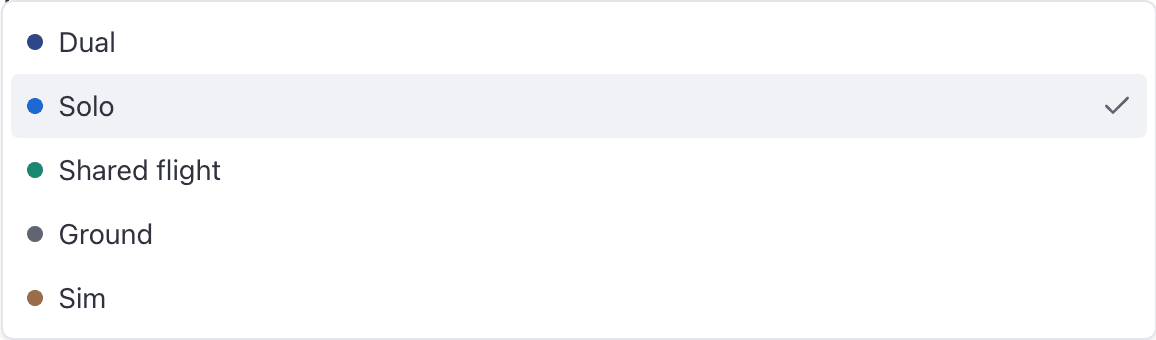
If the type you expected is not in the dropdown, your account does not hold the role that creates it. Ask an admin to add the role under People.
Why changing the type clears the resource#
Each type books exactly one kind of resource. Switch from Sim to Dual and the simulator you had picked is no longer a legal choice, so the field empties.
That is the form protecting you, not losing your work. Pick the type first, then the resource, and it will not happen.
Still stuck on this?
Email support@aerscheduler.com and tell us what you were trying to do. We answer.