
Close out a ground lesson or a booking with no aircraft
Nothing ramps in a classroom. A ground lesson goes straight from Not started to Awaiting review in one step, the button reads Review times instead of Ramp out, and instruction time is the only figure recorded.
For owners, admins, dispatchers, instructors and students
Nothing ramps in a classroom. Open the booking, press Review times, type the instruction time, and the lesson goes straight to Awaiting review. There is no Hobbs, no tach, and no separate out and in step.
Why this booking looks different#
A flight has two meters, so it needs two events: ramp out records the departure readings and ramp in records the return. A ground lesson has neither. So the close-out collapses into one step, and the section on the booking reads "Record the instruction time once the lesson is done." instead of offering a Ramp out button.
You get this shorter close-out on:
- a booking whose type is Ground
- any booking with no aircraft on it, including a dual briefing booked without a tail
- any booking that reserves a room
Press Review times#
Open the booking
From WebCalendar, or from WebYou → Schedule if it is your own lesson. Click the block to open the reservation detail panel.
Press Review times
It sits at the foot of the panel, where Ramp out sits on a flight. The modal that opens is titled Review times, not Ramp out.
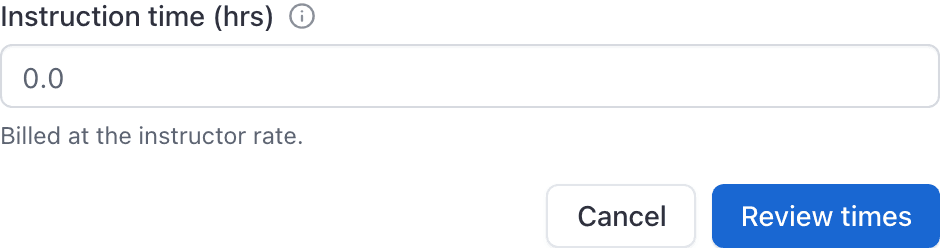
Enter the instruction time
In hours, so a ninety minute lesson is 1.5. This is the figure the school bills at the instructor rate.
Press Review times again to save
The badge on the booking changes to Awaiting review.
On the iOS app the same action is on the reservation screen, where the Ramp In button is labelled Review for a booking with no meters.
What happens next#
The lesson sits at Awaiting review until every person on it confirms with their own four character PIN. When the last one signs off, the invoice is raised automatically. A lesson nobody signs off is a lesson nobody is billed for, so this is worth chasing the same day.
See Sign off a flight with your PIN for how the confirmation works and what to do if somebody has not set a PIN yet.
A ground lesson cannot be booked on an aircraft#
A Ground booking takes a room, and the resource picker offers rooms only. If you want the aircraft time recorded, book a Dual instead. A dual booked with no tail on it gets this same short close-out, and a dual with an aircraft gets the full ramp out and ramp in. See Which reservation type should I use?.
Related#
The two step version, for anything with meters.
What happens after Awaiting review.
Still stuck on this?
Email support@aerscheduler.com and tell us what you were trying to do. We answer.