
Cancel a booking and record why
Cancelling needs a reason type and a short note, both required, because that is what the cancellation report counts. A no-show is recorded by cancelling with the No-show reason after the start time.
For owners, admins, dispatchers, instructors, students, renters and technicians
Open the booking, press Cancel reservation, pick a reason type and write a short note. Both are required, because the Cancellations report counts the reason types and reads the notes. A no-show is recorded by cancelling with the No-show reason after the start time has passed.
Whoever created a booking can also cancel it, whatever their role.
Cancel one booking#
Open the booking, or use the block's menu
On WebCalendar, click the block, or open the … menu on it and pick Cancel reservation.
Press Cancel reservation
In the panel's … menu, beside the close button. The dialog opens.
Pick a reason type and write the note
Both are required.
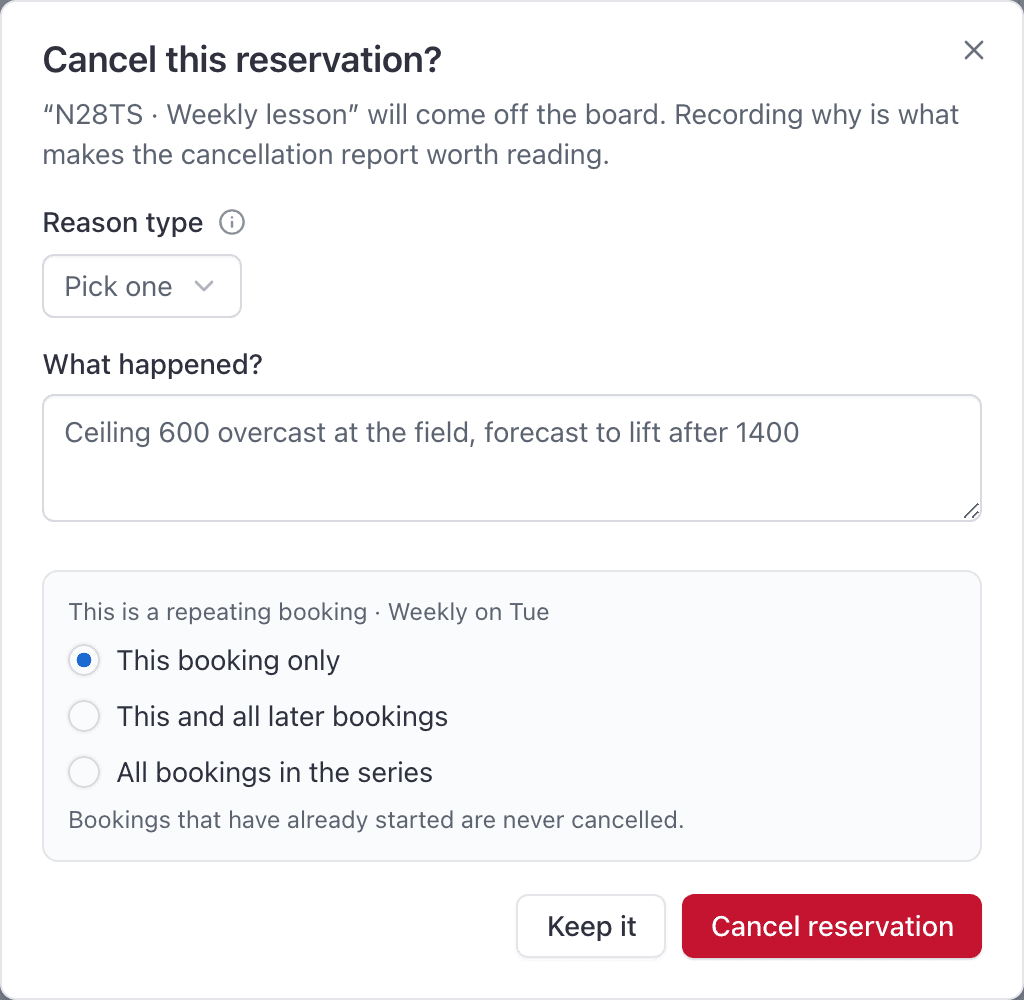
Press Cancel reservation
The booking comes off the board, everyone on it is notified, and their Google Calendar events are removed.
A booking that has already ramped out cannot be cancelled. It flew, so it has to be closed out instead.
Pick a reason and write the note#
The reason types are a fixed list:
- Weather
- Aircraft maintenance
- Aircraft unavailable
- Instructor unavailable
- No-show
- Student or renter unavailable
- Rescheduled to another time
- Booked in error
Pick the closest one. The list is fixed so that the report can count it, and consistent answers are the only thing that makes the count worth reading. Anything the list does not cover goes in the note.
The note is capped at 200 characters and cannot be left blank. An empty note is refused with a prompt to say briefly what happened.
Cancel a repeating booking#
Open any occurrence and cancel it as normal. Under the note, the dialog adds a scope:
| Choice | What it cancels |
|---|---|
| This booking only | That one occurrence. |
| This and all later bookings | That one and everything after it. |
| All bookings in the series | The whole series. |
Record a no-show#
There is no No-show button on a booking, and people do look for one. A no-show is a cancellation with the No-show reason type, logged after the start time has passed.
Doing it that way is what makes it countable. A cancellation logged after the start time is the latest possible notice, so it lands at the bottom of the notice-given chart and shows up as exactly what it was.
Where cancelled bookings go#
Nothing is destroyed. The record is kept, which is the only reason the report is honest.
But cancelled bookings are not drawn on the web dispatch board at any zoom level. To find one:
- Open WebOperations → Cancellations.
- Or open the booking's own link, which still works.
- Or use the iOS app's Reservations list, which includes cancelled bookings and has a Canceled filter.
See what cancellations are costing you#
WebOperations → Cancellations is the whole picture over a date range: a summary by category and by how much notice was given, then a searchable, exportable table.

Open a row for the detail: the note, who cancelled it, and how much notice there was. A cancellation inside 24 hours of the start counts as late.
The report is staff only. Owners, admins and dispatchers can see it.
If Cancel reservation fails#
The dialog stays open with your typed reason intact, so nothing is lost. Read the message:
| Message | What it means |
|---|---|
You are unauthorized to make this request. | You are not staff, not a technician, and did not create this booking. An instructor assigned to somebody else's booking hits this. Ask an admin or a dispatcher. |
| A message about the booking having ramped out | It has flown. Close it out rather than cancelling it. |
More in Why can't I edit, move or cancel this booking?
After a cancel, eligible members who stood by can receive a time-limited offer instead of a silent rebook.
Still stuck on this?
Email support@aerscheduler.com and tell us what you were trying to do. We answer.