
Every report, and what it counts
The 19 built-in reports, the category each sits in, the date its range applies to, and the window it opens on. Use it to pick the right report the first time.
For owners, admins, dispatchers and technicians
The 19 built-in reports, the category each sits in, the window it opens on, and the grouping it opens with. Use it to pick the right report the first time.
How to read this list#
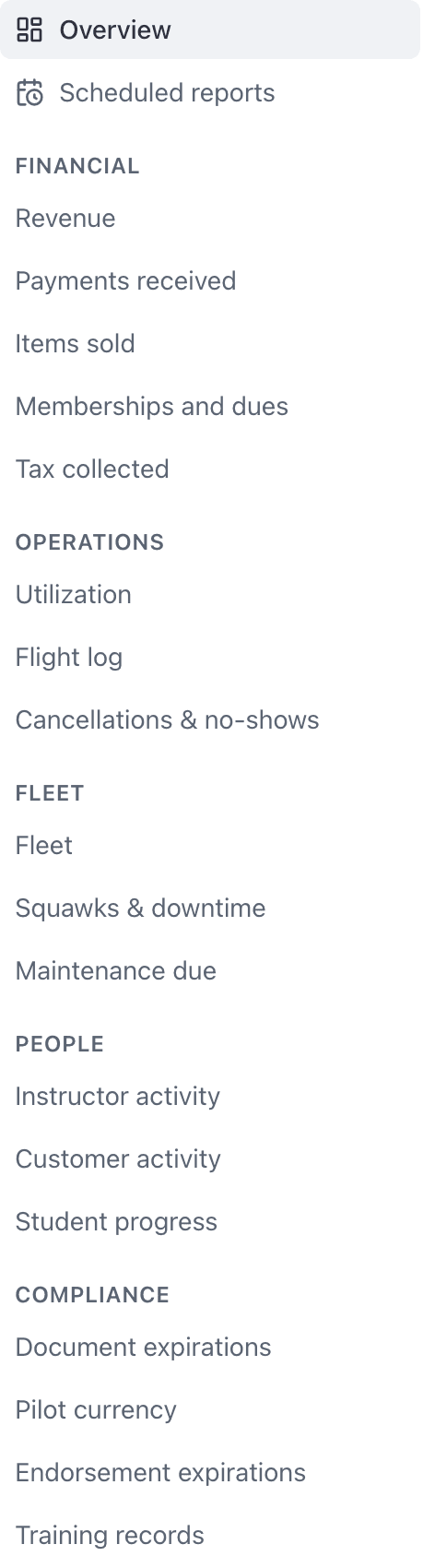
Every report lives in one of six categories, and the category decides who can run it. If a category is missing from your left rail, your roles do not grant it. See Who can see which reports.
Two columns below matter more than they look.
Opens on is the report's own default date range. You can change it on any report; this is just where it starts.
Opens grouped by is the report's own default grouping. Five reports open already grouped because ungrouped they answer the wrong question. You can change or clear that too, from Filters, Group by.
Financial#
Owners and admins only. No dispatcher and no technician sees this heading at all.
| Report | Opens on | Opens grouped by |
|---|---|---|
| Revenue | Last 30 days | Resource |
| Payments received | Last 30 days | Ungrouped |
| Items sold | Last 30 days | Item |
| Memberships and dues | Last 30 days | Ungrouped |
| Tax collected | Last 30 days | Rate |
| Accounts receivable | Last 30 days | Age |
Worth knowing:
- Revenue windows on the date the invoice was raised. Payments received windows on the date it was paid. The same window gives two different totals, and both are right.
- Voided invoices are excluded from every report in this category. A school that voids and reissues sees one figure, not two.
- On Memberships and dues, the "Annualised" column is a run rate, not money received. It normalises every cadence to a year (monthly times 12, quarterly times 4), and only active memberships contribute. It will not match Billed or Collected, and it is not supposed to.
- Accounts receivable is a snapshot as of the end of the range (the start date is unused). In ledger mode it lists members with a negative balance; otherwise it rolls unpaid invoices up by customer. See Review account balances and who owes.
Operations#
Owners, admins and dispatchers. Technicians do not get this category, so a technician cannot run Utilization or Flight log.
| Report | Opens on | Opens grouped by |
|---|---|---|
| Utilization | Last 30 days | Resource |
| Flight log | Last 30 days | Ungrouped |
| Cancellations & no-shows | Last 30 days | Reason |
Worth knowing:
- Cancelled bookings are excluded from Utilization and Flight log entirely. They held the aircraft, so people expect them in the booked figure and do not find them. They have their own report, which is the third one here.
- On Utilization, Efficiency is flown divided by booked. It reads low on overnight trips even when the aircraft was earning hard, because an overnight booking holds the resource for the whole trip. Group by Overnight to read the two populations apart, and compare Billed rather than Flown on trips, because an overnight minimum is charged on top of what was flown. See Charge a minimum for overnight trips.
- WebOperations → Cancellations is a separate, older screen with its own filters and its own export. It overlaps with the report but is not the same thing.
Fleet#
Owners, admins, dispatchers and technicians. Technicians also get Maintenance shop, below.
| Report | Opens on | Opens grouped by |
|---|---|---|
| Fleet | Last 30 days | Ungrouped |
| Squawks & downtime | Last 30 days | Ungrouped |
| Maintenance due | Last 30 days | Ungrouped |
Worth knowing:
- Fleet lists every resource, including simulators and rooms, and including resources that flew nothing in the window. The zero-activity rows are the point of the report. The column is called Resource, not Aircraft, for that reason.
- On Fleet, the Hobbs, Tach and Open squawks columns are current values and ignore the date range. Rooms and simulators show blank meters because they have none.
- On Squawks & downtime, "Days open" is measured to today, not to the end of your window, so an old squawk always reads its true current age.
- On Maintenance due, the date range is when the reminder was raised, not when it comes due. Widen the range, or filter Status to Overdue, to see everything outstanding.
Maintenance shop#
Owners, admins and technicians, and only at an organization that runs a shop: it has a work order or a customer's aircraft. Dispatchers do not get these, because they do not see jobs anywhere else either.
| Report | Opens on | Opens grouped by |
|---|---|---|
| Work orders | Last 30 days | Ungrouped |
| Labor and parts | Last 30 days | Ungrouped |
Worth knowing:
- Work orders holds every job that was open at any point in the window, so a job that came in two months ago and is still in the hangar is in "Last 30 days". Group by Status for the shop's board in one table, or by Billed to for what each customer has outstanding.
- Charges is the job's billable lines as they stand now, the same total the job page shows. Invoiced leaves out voided and fully refunded invoices, Owed is invoiced and not yet paid, and Not yet invoiced is charges beyond what has been invoiced. A cancelled job has nothing left to invoice.
- For labor hours per technician use Labor and parts: a job worked by two people would count in neither person's total here.
- On Labor and parts, group by Technician for labor hours per person. Filter Part status to Ordered for what the shop is waiting on, and widen the range to catch parts ordered long ago: a part is dated by the day it was ordered.
- Click a row in either report to open its job.
People#
Owners, admins and dispatchers.
| Report | Opens on | Opens grouped by |
|---|---|---|
| Instructor activity | Last 30 days | Ungrouped |
| Customer activity | Last 30 days | Ungrouped |
| Student progress | Year to date | Ungrouped |
Worth knowing:
- On Customer activity, "Days since last flight" is counted to today, not to the end of your window. It is a retention figure for building a call list, so set it to 30 or more and work the results.
- On Student progress, only lessons the student passed count toward "% complete". A lesson graded unsatisfactory counts as signed but not done.
- Also on Student progress, lessons done and hours accumulated move independently, because one flight can credit several requirements at once. Neither number predicts the other.
- "Requirements short" counts FAA-sourced requirements only. If your syllabus sets a stricter bar than the reg does, falling short of your own bar is not reported here as a deficiency.
Compliance#
Owners, admins and dispatchers.
| Report | Opens on | Opens grouped by |
|---|---|---|
| Document expirations | Next 90 days | Ungrouped |
| Pilot currency | Next 90 days | Ungrouped |
| Endorsement expirations | Next 90 days | Ungrouped |
| Training records | Last 90 days | Ungrouped |
Worth knowing:
- All three expiration reports window on the expiry date, which is why they open forwards.
- Records with no expiry date never appear on these reports at all. A document, currency or endorsement with a blank expiry cannot match any window, so it is missing from the table rather than listed with a blank date.
- A renewed endorsement disappears from Endorsement expirations, because the superseded one is excluded by the report. A replaced document does not disappear from Document expirations: the archived one is kept and hidden behind the status filter, so "show me what I replaced" is one click away for documents and not available for endorsements. See Endorsements about to expire.
- "Days left" on Pilot currency is measured to today, not to the end of your window.
Reports that open already grouped#
Six, and no others:
| Report | Opens grouped by |
|---|---|
| Revenue | Resource |
| Utilization | Resource |
| Items sold | Item |
| Tax collected | Rate |
| Cancellations & no-shows | Reason |
| Accounts receivable | Age |
Everything else opens ungrouped. See Group a report.
Reports that open on the next 90 days#
Document expirations, Pilot currency and Endorsement expirations.
Columns that show the state right now, not the window#
A handful of columns deliberately ignore the date range and report the current state instead, because a chase number frozen at the end of a historic window would be useless.
| Report | Column |
|---|---|
| Fleet | Hobbs, Tach, Open squawks |
| Squawks & downtime | Days open |
| Customer activity | Days since last flight |
| Pilot currency | Days left |
They will disagree with the window heading above them, and that is the intended reading.
There is no new report button, and there does not need to be#
Every number in this area comes from these reports: the dashboard tiles, the Needs attention counts, the scheduled emails and the CSV exports all run one of them. That is why a tile and the report you click into always agree.
To get a report your school asks for that is not on this list, pick the nearest one, filter it, group it, choose the columns, and save it as a view.
The toolbar, the conditions, and the date basis caption.
Turn a handful of reports into the thirty your organization asks for.
Still stuck on this?
Email support@aerscheduler.com and tell us what you were trying to do. We answer.