
Date ranges, date basis, and your school's time zone
Every reporting window is measured on your school's clock, and every report states which date the window applies to. Set the time zone once, then read the caption on each report.
For owners, admins, dispatchers and technicians
Set the school's time zone once in WebSettings → Organization, then read the caption under each report's date picker. Those two things settle almost every argument about a report's dates.
Set the school's time zone#
Open Settings, Organization
WebSettings → Organization.
Set the time zone on the time zone card
Pick the zone the field is in, not the zone you happen to be sitting in.
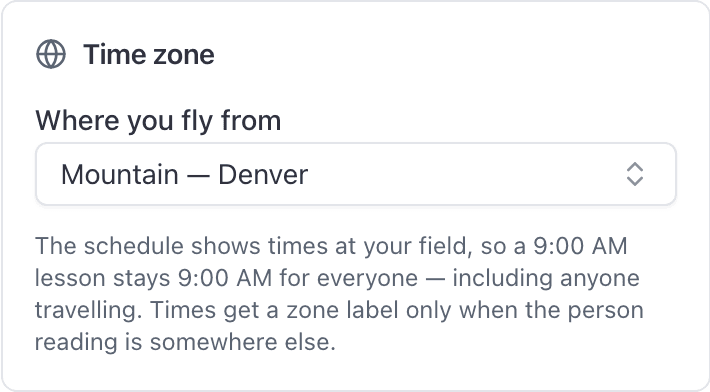
From then on, everything below is measured on the school's clock:
- Every report window, so "Last 30 days" means thirty of the school's days.
- Every dashboard tile's window.
- The day boundaries of a comparison period.
- The dates in a CSV export's file name.
- The hour a scheduled report goes out, so "7am" means 7am at the field.
What happens when it is not set#
The setting starts out unset, and reports still work. They just fall back.
| Situation | What the window is measured on |
|---|---|
| Organization time zone set | The school's zone |
| Not set, somebody reading a report in a browser | That reader's own browser zone |
| Not set, a scheduled report sending | UTC, because a send has no browser attached |
The named ranges, and what each one means#
Reports and the dashboard offer different presets, which surprises people who go looking for one on the other.
| Where | Presets |
|---|---|
| A report's date picker | Last 7 days, Last 30 days, Last 90 days, Last 12 months |
| The Overview dashboard | Last 7 days, Last 30 days, Last 90 days, Month to date, Year to date, Next 30 days, Next 90 days |
On a report you can also set your own start and end dates.
Date basis: which date the range applies to#
Under the date picker on every report there is a small caption reading "by" and then a date, such as "by the date the invoice was raised" or "by the date of the flight".
That caption is the answer to most reporting questions people email about. Your range does not apply to reports in general, it applies to that specific date.
| Report | The date the range applies to |
|---|---|
| Revenue | The date the invoice was raised |
| Payments received | The date the invoice was paid |
| Accounts receivable | As of the end of the range (who owes now; the start date is unused) |
| Document expirations, Pilot currency, Endorsement expirations | The expiry date |
| Maintenance due | The date the reminder was raised, not when it comes due |
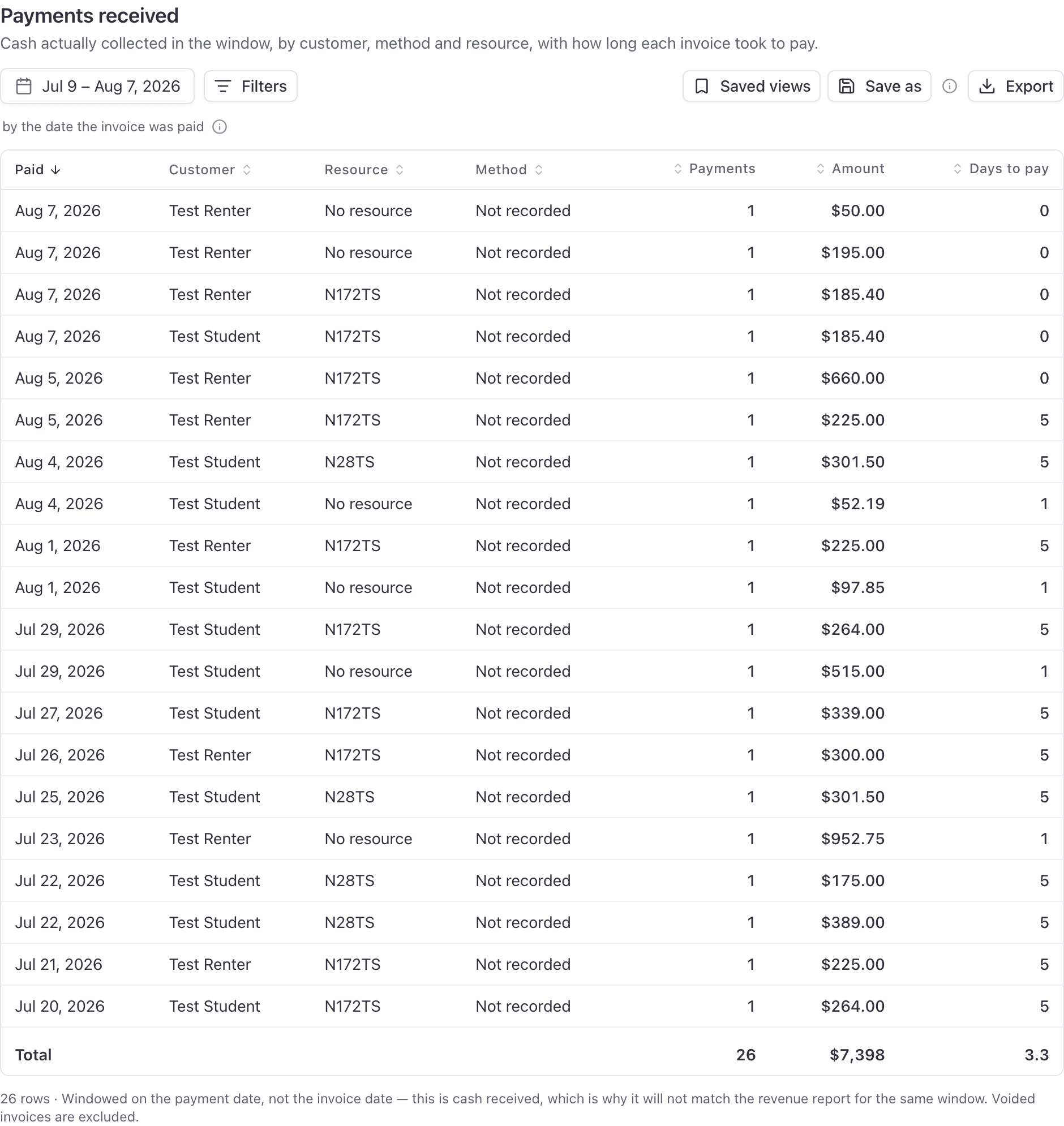
The caption on the report is always authoritative. Read it before you reconcile two numbers against each other. See Report numbers that look wrong.
Why expiry reports open on the next 90 days#
Document expirations, Pilot currency and Endorsement expirations all window on the expiry date, so they open on the next 90 days rather than the last 30.
Every other report looks backwards, which is exactly why this catches people. Opening a compliance report on the last 30 days would list what has already lapsed, which is the opposite of what you asked. To see what has already lapsed, set the range backwards yourself.
Comparison periods: previous period and last year#
The Overview dashboard offers "vs previous period", "vs last year" and "No comparison". They are not interchangeable.
| Comparison | What it measures against |
|---|---|
| vs previous period | The same number of days immediately before this window |
| vs last year | The same calendar dates a year ago |
Use "vs last year" when the season matters, which for a flight school is most of the year. "Previous period" is a strict day count, so comparing a 28 day February against the 28 days before it rarely answers the question you had in mind.
Scheduled reports ignore the saved view's dates#
A schedule points at a saved view, but it does not use that view's window. The cadence decides.
| How often | What each email covers |
|---|---|
| Every day | Yesterday |
| Every week | The seven days ending yesterday |
| Every month | The whole previous calendar month |
That is deliberate: consecutive emails are meant to tile exactly, with no gaps and no days counted twice. Save a view over 1 to 31 July, schedule it weekly, and you get last week every week. See Email a report on a schedule.
Those windows are measured on the school's clock, and a scheduled send falls straight through to UTC when no organization zone is set, because there is no browser to fall back to. That is the strongest reason to set the zone.
Where else time zones matter#
Reporting is not the only place a clock decides something. Booking times, ramp times and what "today" means on the schedule are covered separately, in Airport time and time zones.
Still stuck on this?
Email support@aerscheduler.com and tell us what you were trying to do. We answer.