
Charge a minimum for overnight trips
Set the least you will bill per night an aircraft is kept away, so a weekend away does not bill as 1.5 hours of flying.
For owners and admins
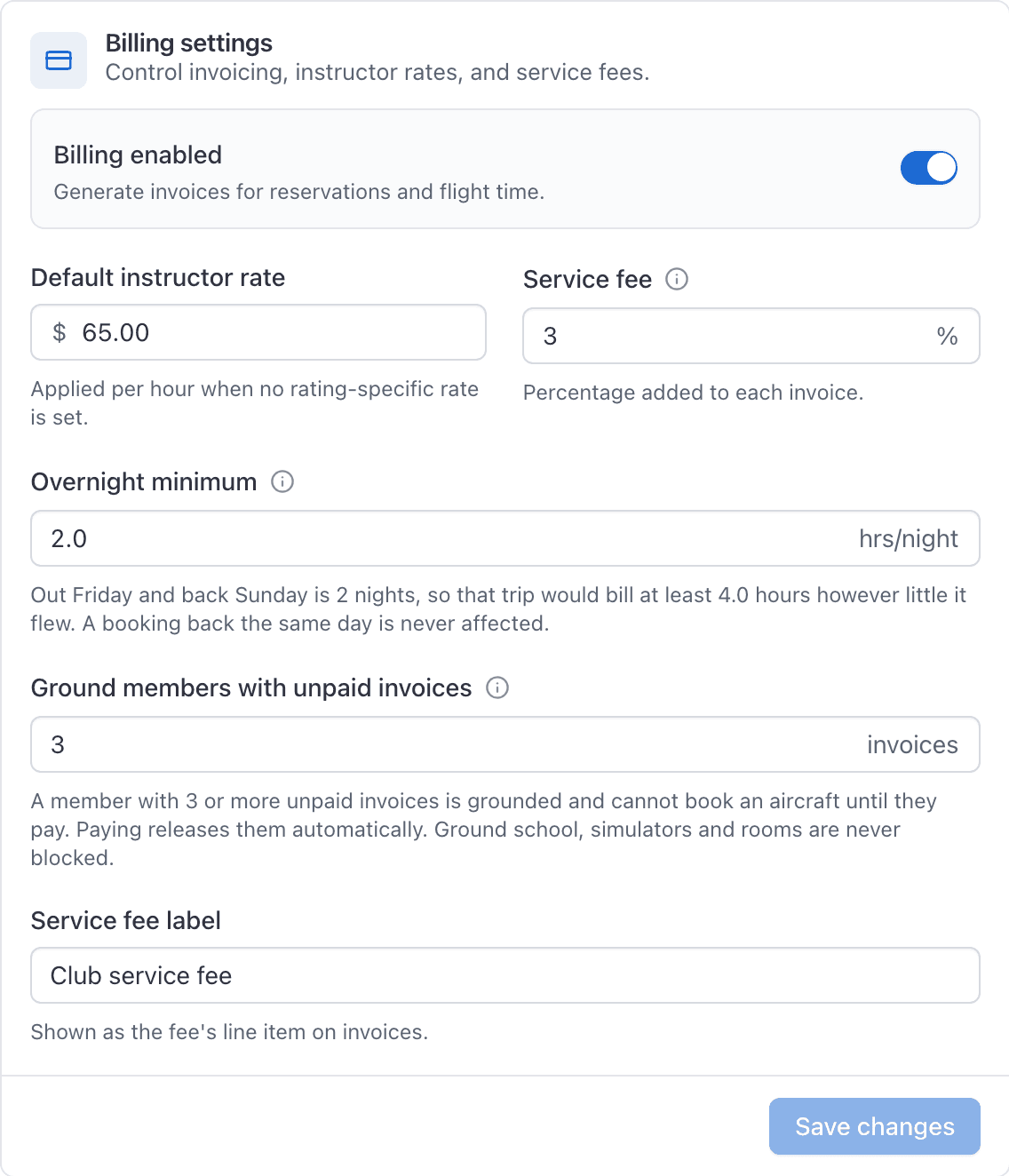
Set Overnight minimum (hrs/night) on WebSettings → Billing. It is the least billable time per night the aircraft is kept away, applied to the booking as a whole. Two nights at 2.0 hours a night bills 4.0 hours even if only 1.5 were flown.
Set the minimum#
Open Settings and choose Billing
Enter a figure in Overnight minimum (hrs/night)
On the Rates and fees card, in decimal hours, so 2.0 or 1.5. Leaving it blank means no minimum, which is the default. Billing must be on to edit this.
Optionally set Return grace after midnight (minutes)
Landing within this many minutes after local midnight still counts as the same night, not another one. Blank or 0 means no grace: landing even a minute after midnight starts a new night, exactly as before this setting existed.
Click Save changes
Only the organization owner can save this card. An admin can read it but the save will be refused.
It takes effect on the next close-out. Invoices already raised never change.
How nights are counted#
A night is a local midnight the booking crosses, counted in the airport's time zone rather than whatever zone the person closing out happens to be in.
| Booking | Nights |
|---|---|
| Out Saturday morning, back Saturday evening | 0 |
| Out Friday, back Saturday | 1 |
| Out Friday, back Sunday | 2 |
A booking that comes back the same day is never affected, however long it ran.
It is a floor, never a reduction#
The minimum only ever raises a bill. AerScheduler compares the time actually flown against nights multiplied by the minimum, and bills whichever is larger.
- Two nights, minimum 2.0, 1.5 hours flown: the aircraft time bills as 4.0 hours.
- Two nights, minimum 2.0, 6.0 hours flown: the aircraft time bills as 6.0 hours, the minimum does nothing.
One minimum per booking, not per person#
The minimum is applied to the booking before the cost is split, so it is one minimum between everybody on the trip.
What the pilot sees at ramp-in#
Nobody should be surprised by this on an invoice. When a booking crosses a night and a minimum is set, a notice appears on the booking at every close-out step before invoicing, and the ramp-in dialog spells it out in figures before you save: away two nights, the school's minimum is 2.0 hours a night, so this will bill 4.0 hours rather than the 1.5 flown.

If the flown time is already above the minimum, no notice appears, because nothing changes.
On a shared trip#
The minimum is a floor on the booking, not on each person, so two partners who take an aircraft away for a weekend owe one minimum between them rather than one each.
If the booking is split by Each pays their own time, enter everyone's Hobbs legs as usual: those still have to add up to what the aircraft actually ran, not to the raised figure. Nobody flew the extra hours the minimum adds, so the close-out reconciles against the meters and then shares the uplift out in proportion to who flew. Two partners on a two-night trip that flew 3.0 hours against a 4.0 hour floor are billed 4.0 hours between them, divided the way their flying was.
You cannot exempt a single aircraft#
There is nowhere in the web console or the iOS app to give one tail its own overnight minimum, or to exclude it. The figure you set here applies to every aircraft in the fleet, so pick one that is fair across the fleet, or leave it blank and handle long trips by hand.
Related#
Booking a trip that spans nights in the first place.
Where the notice appears, and what happens after the last sign-off.
Still stuck on this?
Email support@aerscheduler.com and tell us what you were trying to do. We answer.