
Billing troubleshooting and FAQ
The billing behavior that surprises people most, including invoice vs ledger quirks, with the reason for each and what to do about it.
For owners, admins, dispatchers, instructors, students and renters
The billing questions that reach us most often, and the reason behind each one. If a flight produced no invoice at all, start with Why a flight was not invoiced instead.
Save changes on Settings, Billing is refused#
You get "You are not authorized to make this request" and nothing is saved.
The organization owner is the only person who can change billing settings. Every other Settings tab is open to admins, and this one still renders for an admin too, which is why it catches people out. Being an admin is not enough for:
- Billing enabled (saves as soon as it is flipped)
- How members pay
- Default instructor rate, service fee, overnight minimum, and grounding (Save changes on Rates and fees)
The same applies to connecting Stripe and to the whole QuickBooks Online page. Ask the owner to make the change, or have them sign in.
An invoice is for the wrong amount#
Work down this list. The answer is usually in the first three.
| Check | Where |
|---|---|
| Which meter the aircraft bills. Bill by Hobbs time on charges Hobbs in minus Hobbs out; off charges tach instead. | Aircraft, edit the aircraft |
| The aircraft's hourly rate, and whether it is wet or dry | Aircraft, edit the aircraft |
| The instruction rate. A booking with a rating uses that rating's rate; anything else falls back to the organization's default instructor rate. | WebSettings → Instruction rates and WebSettings → Billing |
| Your service fee, which is a percentage you add | WebSettings → Billing |
| An overnight minimum, which is a floor and can raise a bill well above the hours flown | WebSettings → Billing |
| A rate override typed onto that one booking | The reservation, Override payment |
| A membership tier rate for that tail | WebSettings → Memberships, inside the plan |
The total on a split booking looks too small#
The invoice summary at the end of a close-out on a split booking shows one payer's share, labelled "(one of N shares for this booking)". It is not the flight's total bill.
Everyone else on the booking received their own invoice for their own share. To see them all, open WebBilling and look for the other invoices raised at the same time. There is no single screen that adds a split booking back up.
Somebody on a split booking was never invoiced#
A share worth less than 50 cents is skipped, and no invoice is raised for that person. That is Stripe's floor: it will not accept an invoice below 50 cents. The booking still counts as billed.
It only shows up on a cheap booking divided many ways, such as a short ground session split between a large class. If somebody needs to be charged for it, raise a manual invoice.
Everybody's sign-off disappeared#
Adding a payment override to a booking clears every review confirmation already collected, so a close-out sitting at "1 of 2 confirmed" drops back to none and each pilot has to enter their PIN again. Once everybody has confirmed, the override is refused rather than applied.
This is on purpose: the pilots confirmed a set of numbers, and the numbers changed. Do the override before you ask people to sign off, not after.
A guest invoice shows no customer name#
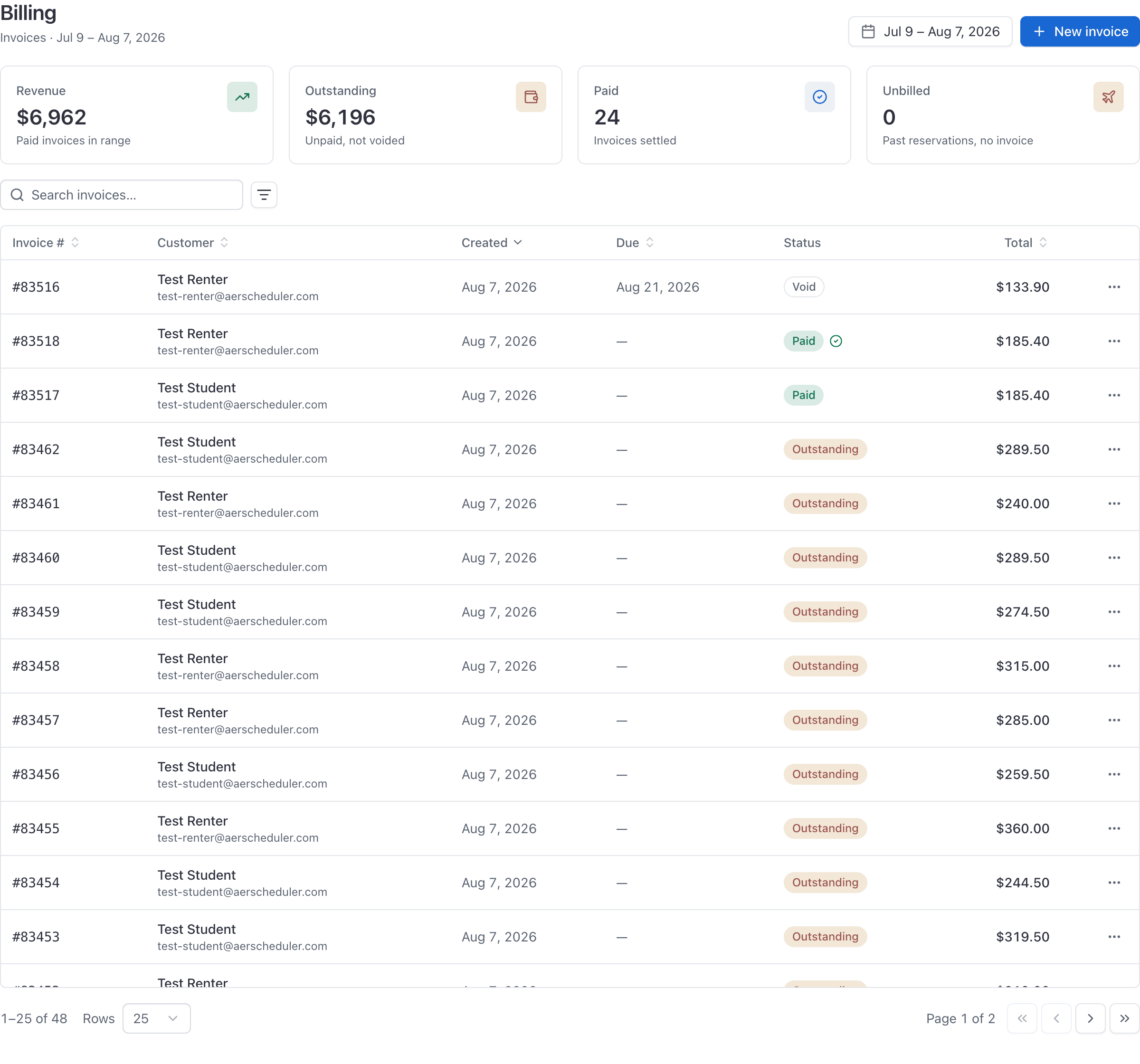
On the Billing table the Customer column is a dash for a guest invoice, and the detail panel header reads "No customer". The guest's name and email are recorded on the booking, not on the invoice row.
Identify a guest invoice by the linked flight shown in the detail panel. See Bill a discovery or guest flight.
The Bill button did not bill the flight#
The Bill button on a row in the Unbilled reservations list starts a manual invoice for that member, prefilled with the reservation's title as the memo. It is not the flight's invoice: it has no line items, no hours and no link back to the booking, so the reservation stays in the unbilled list afterwards and the amount never appears as revenue against that aircraft.
To bill the flight itself, finish its close-out. If the close-out is already complete and the invoice failed, the recovery action is Create invoice on the reservation, on either surface. Full walkthrough in Why a flight was not invoiced.
The Tax collected report shows no tax#
The report lists every invoice line in the period. Until your school has a rate and has chosen which kinds of line it applies to, every line is under No tax, as a non-taxable sale. Flight bills from close-out are never taxed. See Charge sales tax on an invoice.
If you used to type tax as its own line on a manual invoice, those old lines show as non-taxable sales and are counted in revenue. Back them out of gross and non-taxable sales by hand for those periods (search the Line column), and stop typing tax as a line once a rate is set up, or the customer is charged tax twice.
Membership dues are mixed into flight revenue#
Dues and join fees are raised as ordinary invoices, deliberately, so that they pay through the same link, appear on the same Billing list, and can be marked paid the same way. The consequence is that they also land in the Revenue, Payments received and Items sold reports alongside flight income, with no separate treatment.
Use the Memberships and dues report in the Financial section for the membership questions: who is on what tier, the annualized run rate, what is outstanding, and which periods failed.
A member sees two different outstanding balances#
The Outstanding balance card on a member's Home page counts invoices the school has voided. The Outstanding card on their Invoices page does not.
The Invoices page is the figure they actually owe. Tell members to trust that one.
On Account ledger, trust the balance on Billing under You (or People → Ledger). That is the running account, not an unpaid-invoice total.
There is no Stripe invoice after a member flight#
If How members pay is Account ledger, that is expected. Look for Charged to account ledger on the booking, or a Flight row on the member's ledger. Guests still get a Stripe invoice. See Charge a flight to the account ledger.
Auto-refill paused or never charged#
Auto-refill needs Account ledger, a default saved card, and the member to leave it on. Three failed charges pause it and email the member; the card is not deleted. They turn it back on from Payment methods or Billing under You. See Manage a member's account ledger.
Nothing bills in the demo#
In the public demo, closing out a flight produces a realistic-looking paid invoice without any money moving, so revenue reports and balances have something in them to look at. Anything that would touch real money is refused, each with its own message:
| What you try | What the demo says |
|---|---|
| Creating an invoice, marking one paid, voiding one | "Creating and settling invoices is turned off in the demo." |
| Sending a payment reminder | "Payment reminders are turned off in the demo." |
| Billing membership dues | "Billing membership dues is turned off in the demo." |
None of this applies to your own organization.
Things AerScheduler cannot do#
Worth knowing before you plan a process around one of them.
| Refund a card payment on a Stripe invoice | Refunds are done in your own Stripe dashboard, and are not read back here. The invoice stays Paid. |
| Refund prepaid ledger credit via Stripe alone | Use Refund on the member's ledger (owners and admins). That reverses prepaid balance in AerScheduler. |
| Issue a Stripe credit note | Invoice mode has no credit-note workflow. Account ledger holds prepaid credit as a balance instead. |
| Edit an invoice after it is raised | The only actions are mark paid and void. Ledger rows are never edited in place either; post a reversing row. |
| Tax flight bills from close-out | Sales tax applies to invoices raised with New invoice. See Charge sales tax on an invoice. |
| Bill fuel on a dry rate | There is no fuel line. Invoice fuel separately (or post a desk charge on the ledger). |
| Set a rate for one instructor | Rates are per rating, plus the organization default. Every instructor on a rating bills the same figure. |
| Exempt one aircraft from the overnight minimum | There is nowhere to set a per-aircraft figure, so the organization's applies to every tail. |
| Let a member join, change tier or cancel a membership | Every membership change is an admin action. |
| Put guests on the account ledger | Guests always get a pay-this-visit invoice. |
| Sync ledger top-ups to QuickBooks | QuickBooks syncs paid Stripe invoices as Sales Receipts. Ledger balance activity is not that sync. |
| Invoice a guest from the web console | Turn on Guest recipient in Billing → New invoice and enter a name and email. |
Related#
Invoice each booking or Account ledger, start to finish.
Auto-refill, late fees, statements, and desk tools.
Including the two places an admin is not enough.
Still stuck on this?
Email support@aerscheduler.com and tell us what you were trying to do. We answer.