
Set your aircraft and instruction rates
What an aircraft costs per hour, which meter it bills on, and what instruction costs, which together decide every number on a flight invoice.
For owners and admins
An aircraft's hourly rate, its wet or dry basis, and whether it bills on Hobbs or tach all live on the aircraft itself under WebAircraft → edit. Instruction is priced from the rating's rate, or from the school's default instructor rate when the booking has no rating.
Set an aircraft's hourly rate#
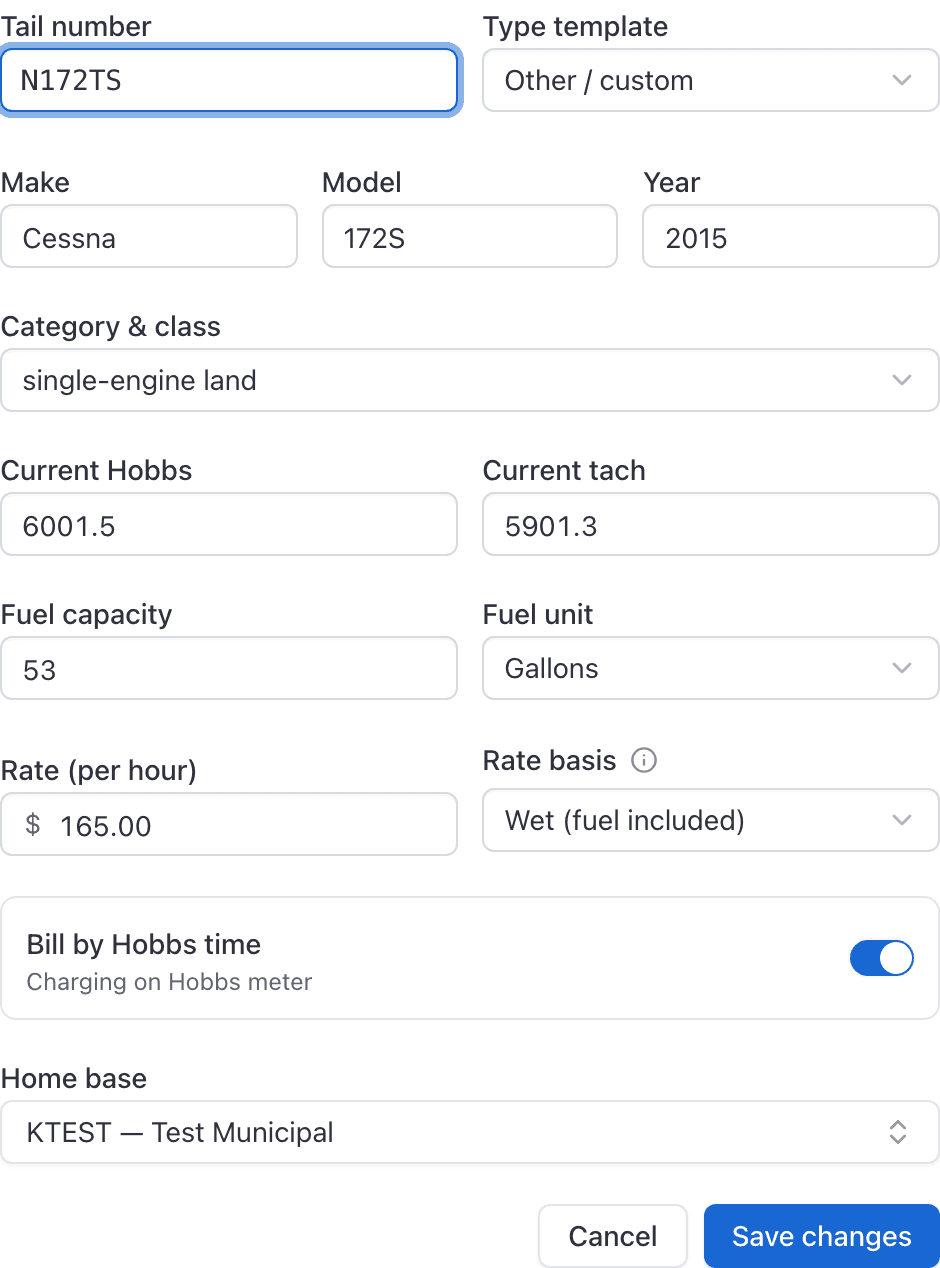
Open Aircraft and choose the tail
Then choose to edit it.
Set Rate (per hour)
What one hour on this aircraft costs the person flying it.
Set Rate basis
Wet (fuel included) or Dry.
Set the Bill by Hobbs time toggle
On bills the Hobbs meter, off bills tach time.
Save
The aircraft list now shows it as, for example, "$165.00 wet /Hobbs". Every future booking of that tail prices from this.
Wet or dry, and what that means for fuel#
A wet rate includes fuel, a dry rate does not. An aircraft holds one or the other: choosing a basis clears the other one.
Bill by Hobbs or by tach#
| Toggle | What the invoice measures |
|---|---|
| Bill by Hobbs time on (the default) | Hobbs in minus Hobbs out |
| Bill by Hobbs time off | Tach in minus tach out |
The pilot enters both readings at ramp-out and at ramp-in either way. Only the meter you pick here is priced. Switching this toggle changes the number of hours on every future invoice for that aircraft, so it is worth getting right before you go live.
Simulators and rooms#
A simulator has a single rate and its own bill-by-Hobbs switch, both on the facility form rather than the aircraft form.
A room has no rate at all and is never charged for time. If you charge for a classroom, bill it on a manual invoice.
Set the school's default instruction rate#
WebSettings → Billing → Default instructor rate → Save changes. It starts at $0.00, and only the organization owner can save that card.
This is the fallback, and it is used only when the booking has no rating attached at all.
Set a rate per rating#
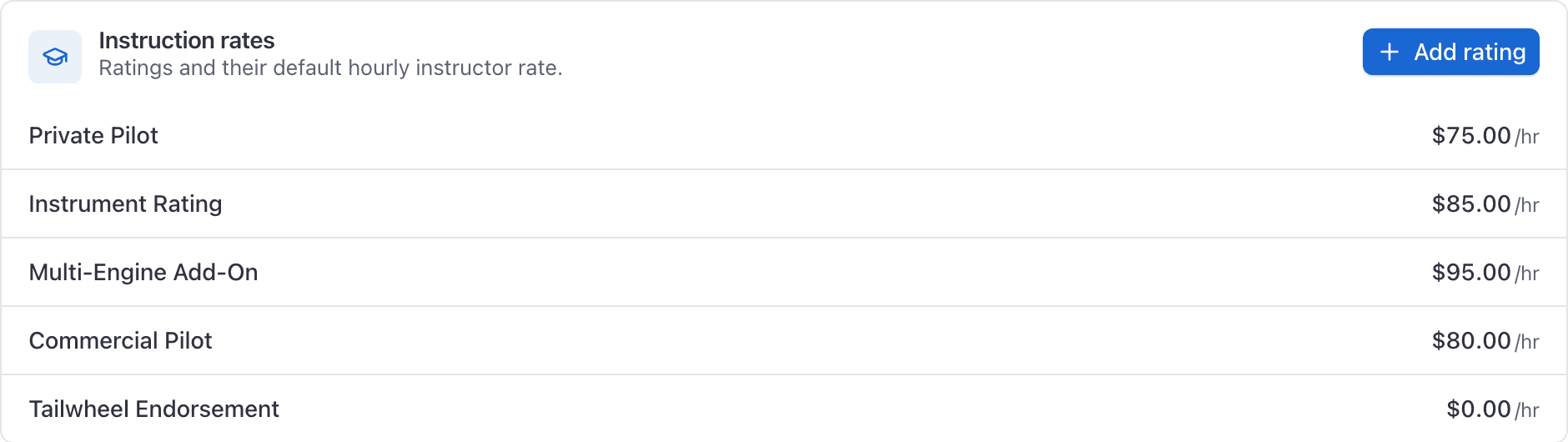
WebSettings → Instruction rates lists your ratings and what instruction on each costs per hour.
Click Add rating
Enter the name and the rate
For example "Private Pilot", then its Default instructor rate.
Click Add rating to save it
Bookings carrying that rating now price instruction at this figure instead of the organization default.
When instruction is charged at all#
Instruction is only charged when the booking has an instructor and somebody to instruct: a student, or a guest on a discovery flight. An instructor flying alone is renting the aircraft, not teaching, so no instruction is billed and the instructor becomes the payer for the aircraft time.
The hours charged are the Instruction time (hrs) entered at ramp-in, not the length of the booking. If the CFI briefed for half an hour either side, that goes in the same box.
Rates for a membership tier#
A membership plan can carry its own per-aircraft rates, so full members pay one figure and associates another on the same tail. Set them in WebSettings → Memberships by reopening a saved plan and filling in Aircraft rates.
They are deliberately sparse: leave one blank and that tail bills at its published rate.
Related#
Where those hours get recorded, and when the invoice is raised.
Including what happens when an aircraft has no rate at all.
Still stuck on this?
Email support@aerscheduler.com and tell us what you were trying to do. We answer.