
Chase an unpaid invoice
Send a reminder by hand, let the nightly sweep chase for up to four weeks, then take over. Optionally ground members once they owe too many invoices.
For admins and owners
An unpaid invoice past its due date shows Past due. Open it from WebBilling and click Send payment reminder. A daily sweep already chases unpaid invoices, members' and aircraft owners' alike, for up to four weeks, then hands further chase back to you. If you want teeth for members, set Ground members with unpaid invoices on WebSettings → Billing.
Send a reminder by hand#
Open the invoice on Billing
Set the Status filter to Outstanding to see everything owed, or to Past due to see only what is late.
Click Send payment reminder
It is in the invoice detail panel, and on the Recent invoices panel on the Dashboard.
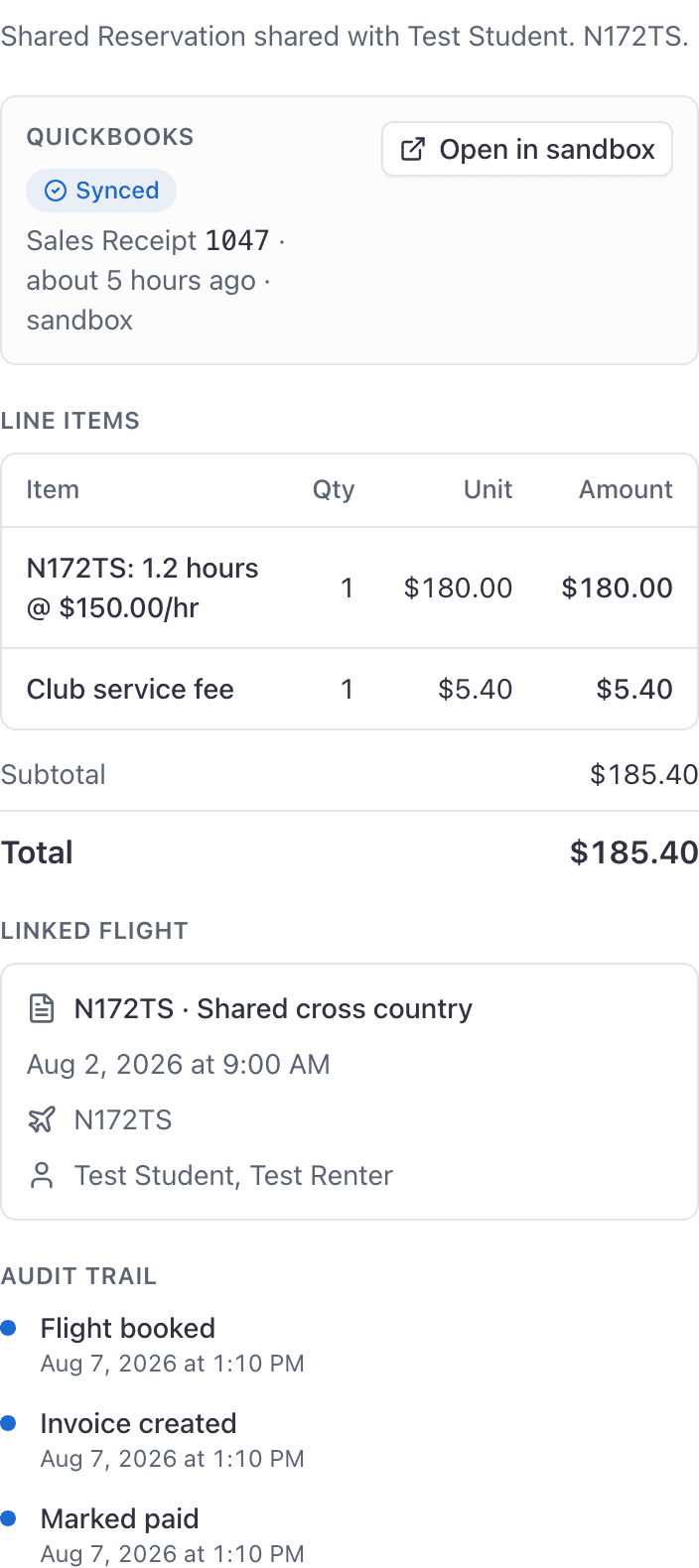
The member gets a Payment reminder email and a push notification, both carrying a link to pay. The send is stamped on the invoice, so the automatic sweep will not immediately send a second one on top of yours.
Reminders are for members and for aircraft owners billed for shop work. A guest invoice cannot be reminded from here.
Past due#
An invoice is Past due when it is unpaid, not voided, and its due date has gone by. It shows on every status badge: on Billing, on the invoice, on the person's own Invoices page, and on an aircraft owner's job. An invoice with no due date is never past due, however old it is.
The Status filter on Billing has Past due: unpaid invoices whose due date has gone by, and nothing else.
The automatic reminders#
A daily sweep chases unpaid invoices on its own: members' bills of every kind, and the bills for shop work you send aircraft owners. An invoice is picked up when:
- it is past its due date, or
- it is 7 or more days old and has no due date.
After that, the same invoice is reminded at most once every 7 days, and at most four times in total. On the fourth automatic reminder the member is told it is the last one from AerScheduler, and every admin and owner gets a notice that further chase is on the school.
Sending a reminder by hand does not count toward that four, and you can keep using Send payment reminder after the automatic sweep has stopped.
Voided invoices and paid invoices are never chased.
Reminders to aircraft owners#
An owner who has signed in is reminded like a member, by their own settings, and pays from their Invoices page. An owner the shop added who has not signed up is emailed at the address you keep for them, with the invoice's own payment link, which needs no account.
Why flight invoices show no due date#
Invoices that do carry a due date here:
- a manual invoice, if you set one when you created it
- a membership dues invoice, if the plan has Days to pay filled in
Ground members who owe money#
This blocks a member from booking an aircraft once they hold too many unpaid invoices.
Open Settings → Billing
This whole card is saved by the organization owner. An admin can open it and type in it, but Save changes will be refused.
Enter a number in Ground members with unpaid invoices
It is a count of unpaid invoices. Not days late, and not dollars owed. Leave it blank or set it to 0 to switch it off, which is the default.
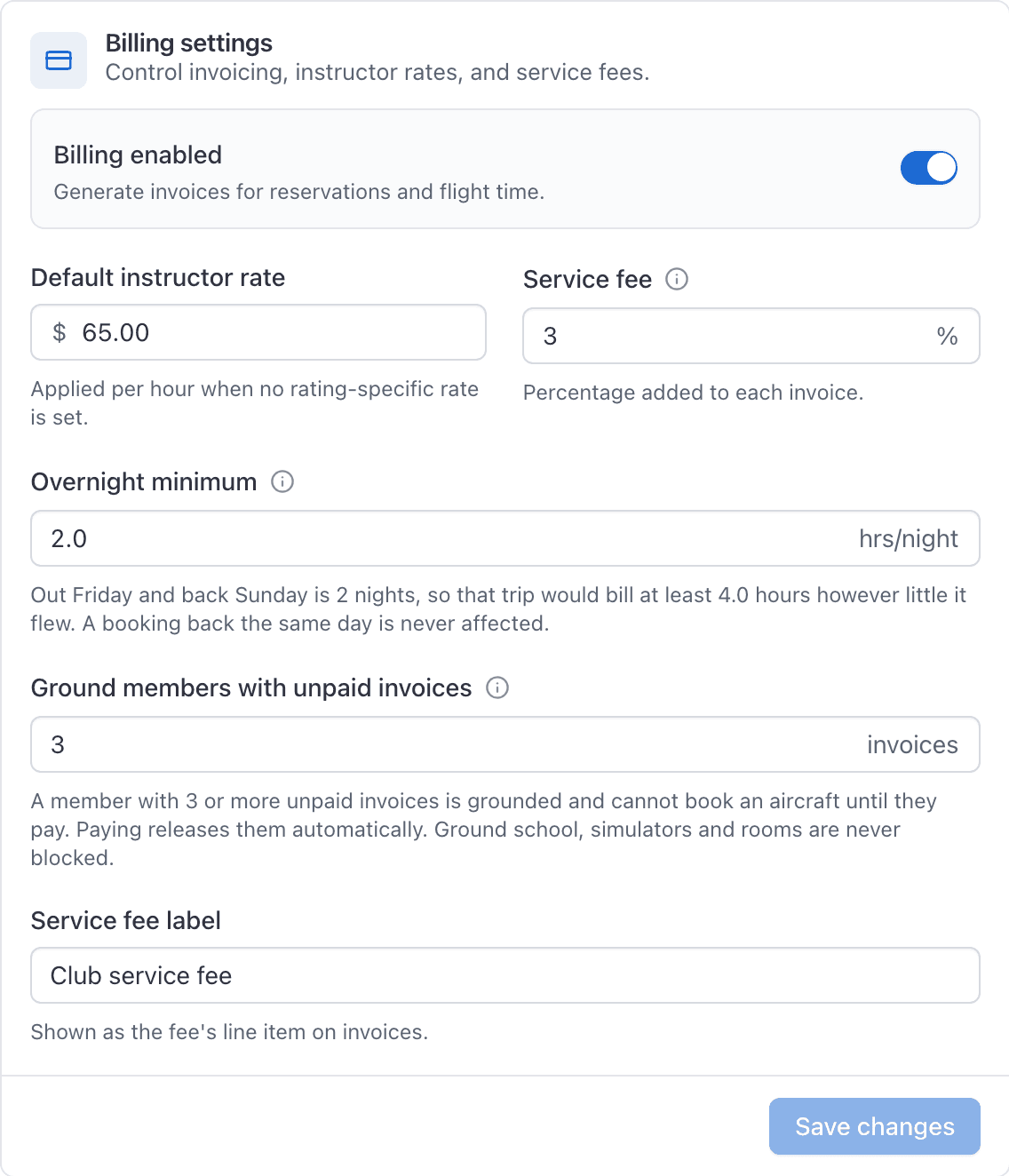
Click Save changes
A member at or above that number is grounded. Paying releases them automatically. The threshold is checked when an invoice is created, and again on a nightly sweep. Voided invoices do not count toward it.
What grounding blocks and what it does not#
| Blocked | Booking an aircraft |
| Not blocked | Ground school, simulators, rooms |
Guest invoices are chased by Stripe#
Send payment reminder is refused on a guest invoice: "Guest invoices are emailed by Stripe". A guest is not a member, has no account, and gets nothing from AerScheduler. Chase them from your own Stripe dashboard, where the invoice was sent from. See Bill a discovery or guest flight.
Related#
What the member sees, and how autopay stops this happening again.
Once the check turns up, or when the invoice was wrong all along.
Still stuck on this?
Email support@aerscheduler.com and tell us what you were trying to do. We answer.