
How maintenance tracking works
Read this first. It sets the vocabulary the rest of the section uses: an inspection is what an aircraft owes on a schedule, a squawk is a problem somebody found, and grounding is the only thing that actually stops a booking.
For owners, admins, dispatchers and technicians
Three separate things live under Maintenance. An inspection is what an aircraft owes on a schedule. A squawk is a problem somebody found. Grounding is the only one of the three that actually stops a booking.
WebMaintenance opens for owners, admins, dispatchers and technicians. Instructors, students and renters cannot open it at all, on either surface.
Inspections, squawks, and grounding are three different things#
| Thing | What it is | Does it stop a booking? |
|---|---|---|
| Inspection | Something the aircraft owes on a clock: an annual, a 100-hour, a transponder check, an oil change. AerScheduler counts down to it. | Only if that inspection carries the Grounds the aircraft flag, and only once it comes due. |
| Squawk | A discrepancy somebody found: "Left brake soft". Filed against one tail, closed out by a technician or an admin. | No, unless whoever filed it also switched on Grounds the aircraft. |
| Grounded | A flag and a reason on the aircraft itself. | Yes. Every booking type except maintenance is refused with "Resource is grounded." |
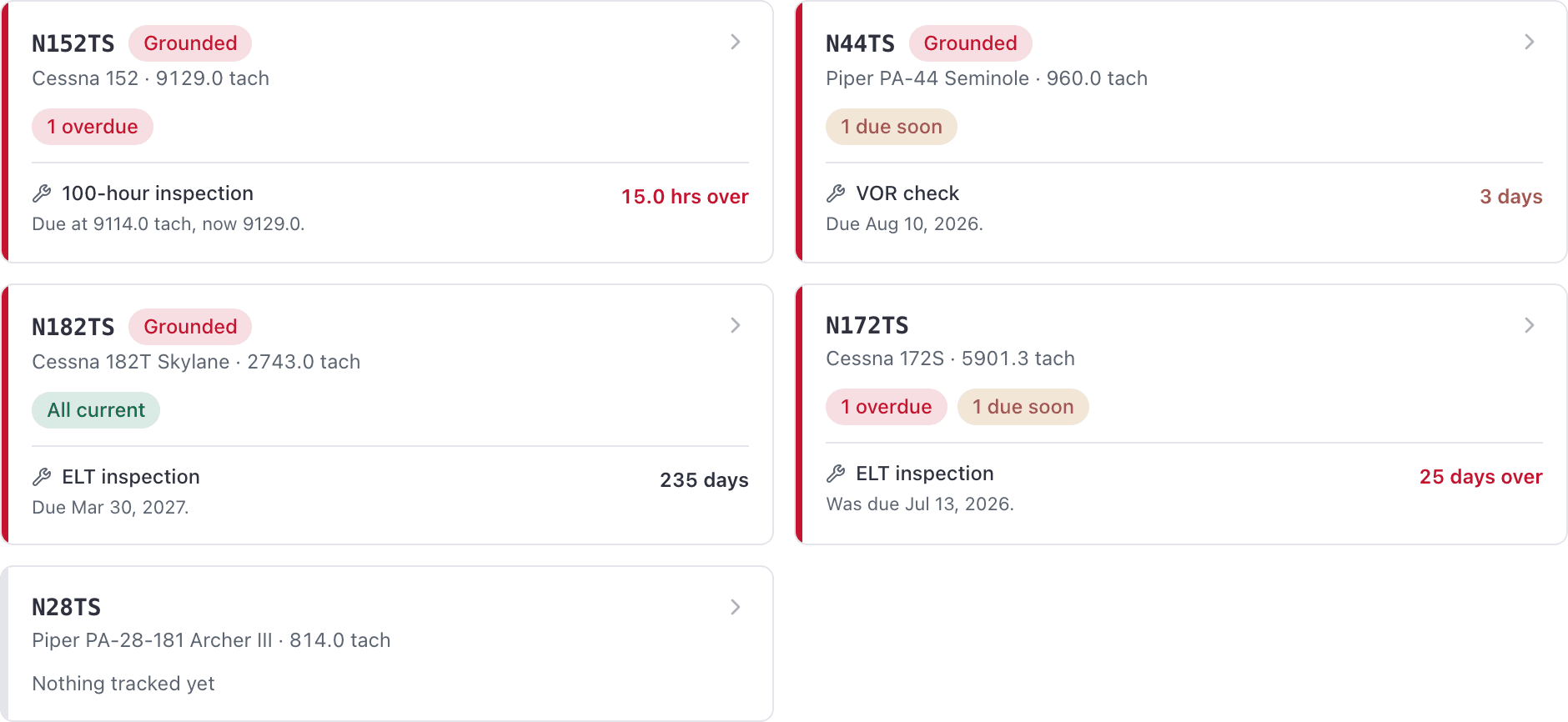
That last row is the one worth remembering. An aircraft with six open squawks and an overdue annual is still bookable unless somebody or something grounded it.
An inspection rule is not an inspection#
The rule lives once for the whole school. "100-hour, every 100 tach hours, warn 10 hours out" is one rule, and you will find it under WebMaintenance → Inspection rules (Set up in the app).
Attaching that rule to a tail creates one live inspection per aircraft. That is what counts down, what shows up in the work queue, and what you sign off.
Hours, days, or a single date#
Every inspection is counted one of three ways, chosen when you create it and never converted into another.
- On the meter. Counts flying hours against the aircraft's tach or Hobbs. A 100-hour.
- On the calendar. Recurs every so many days from the last sign-off. An annual, a transponder check.
- One-off. A single date that never comes back. "Prop back from the shop."
An hour-based inspection never shows a due date, and a calendar-based one never shows a meter reading. That is deliberate. A 100-hour depends entirely on how much the aircraft flies, so AerScheduler will not invent a date by averaging.
Tach or Hobbs, and why that is not your billing meter#
Each hour-based inspection is set to count one meter, either Count tach time or Count hobbs time. Both meters are recorded at every close-out.
The meter an aircraft is billed on is a separate setting on the aircraft itself. Most schools bill on Hobbs and inspect on tach, which is why an inspection's detail line always names the meter it means: "Due at 1250.0 tach, now 1237.6."
Due soon means the warning lead you set#
Each inspection carries a warning lead: "Warn me 10 hours out", "Warns 30 days out". That number does two jobs. It is when the row turns to Due soon, and it is when the warning email and push go out. There is no separate cosmetic idea of "soon".
The Maintenance page, view by view#
The left rail holds these views.
| View | What it is for |
|---|---|
| Work orders → Open jobs and Finished jobs | The shop's jobs, for owners, admins and technicians only. See Run a work order. |
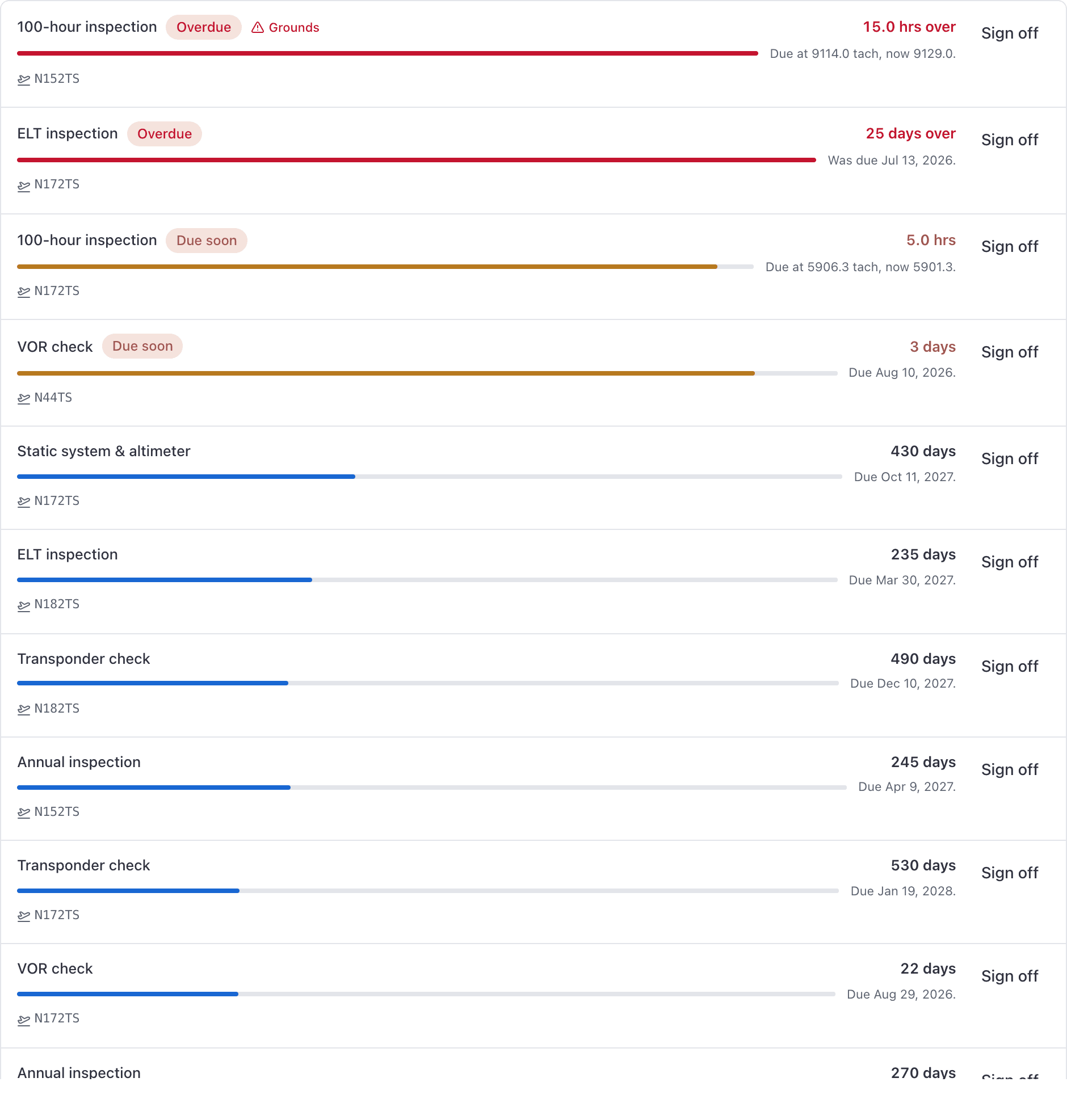
| Inspections | Every open inspection in the fleet, the default view. Group by Aircraft shows one row per tail with its inspections underneath, grouped Grounded, Overdue, Due soon, Needs a reading or date, Current and Not tracked; current tails start folded. Group by Status is the work queue, worst first, with inspections marked not applicable in a group of their own at the bottom. An inspection a work order has booked in carries a Scheduled or In progress tag naming the job. Group by Inspection shows each rule with every tail's countdown on it. Signed-off work is deliberately not here. |
| Inspection rules | The rules rather than their instances, grouped into On the meter, Whichever comes first, On the calendar and One-off. Unfold a rule to see the aircraft it covers. |
| Compliance log | Every signed-off inspection, kept for the life of the aircraft. |
| Squawks → Open | Every outstanding discrepancy, newest first, grouped into grounding squawks and the rest, or by aircraft. |
| Squawks → Resolved | The ones already closed out. |
A search box and filter chips sit above the content. On Inspections the Status filter follows the grouping: grouped by Aircraft it filters tails, otherwise it filters inspections (Overdue, Due soon, Needs a reading or date, Not yet due, Not applicable).
Open one inspection#
Click an inspection in the list to see it in a panel beside the list: where it stands, the rule it comes from, and Sign off. Double-click it, or press Open the full inspection, for its own page. The page adds:
- History: every earlier sign-off of the same rule on that aircraft, newest first, with the mechanic, certificate and method from its compliance record when one was written.
- Files: the working files for this inspection.
- Work order: the job that carries it, if one does. Signing the inspection off completes that job's item. Administrators and technicians see this; dispatchers do not.
- Activity: when it was opened and when it was signed off, for administrators.
Inspection notifications in the console open this page too.
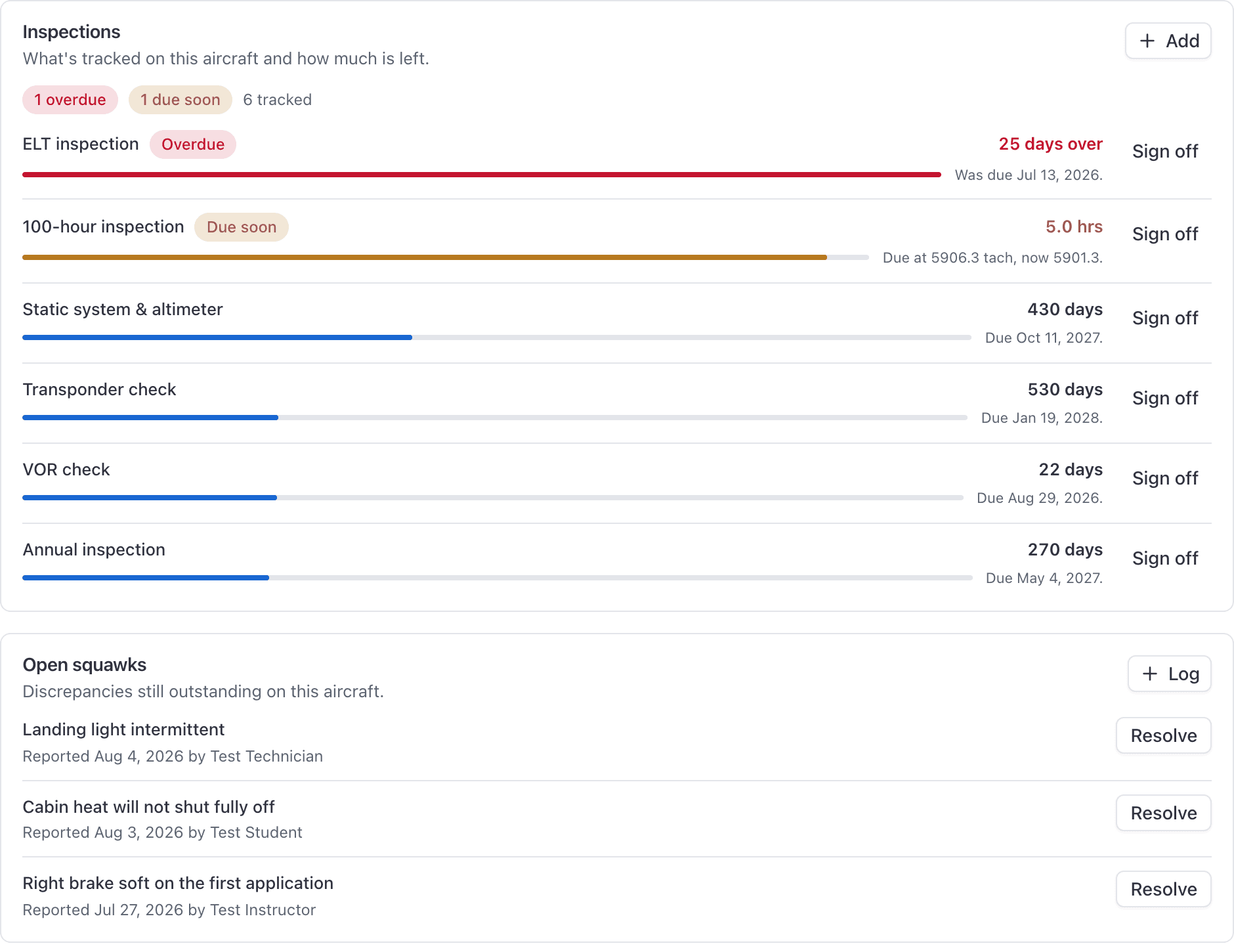
Each aircraft carries the same information for its own tail under WebAircraft → the tail → Maintenance: an Inspections card and an Open squawks card, with Add, Sign off, Log and Resolve on them.
What the iOS app does that the console does not#
The app has the same four boards (Aircraft, Inspections, Squawks, Set up) plus two things the console cannot do:
- Report a squawk as any member. Instructors, students and renters have no way to file one from the console, because the Maintenance section of an aircraft's page is hidden from them.
- A Signed off filter on the Inspections board, behind the filter glyph in the header. The console's Inspections view never shows completed work.
Where to go next#
The seven AVIATES items in one pass, with the right intervals.
From the console, from a tail, or from the close-out prompt in the app.
Which inspections take a tail off the line, and how it comes back.
Technicians, dispatchers, and everyone else.
Still stuck on this?
Email support@aerscheduler.com and tell us what you were trying to do. We answer.