
Report a squawk
On the console: Maintenance, then Log a squawk, or open the aircraft and use Squawks, then Log. On the iOS app: any aircraft page, or the prompt that opens by itself after you enter Hobbs and tach at close-out. Give it a title, a description, and a tail. Photos and PDFs are optional.
For owners, admins, dispatchers, technicians, instructors, students and renters
On the console: WebMaintenance → Log a squawk if you are staff, or open the aircraft then WebSquawks → Log if you are not. On the iOS app: any aircraft's page, or the prompt that opens by itself after you enter Hobbs and tach at close-out. A squawk needs a title, a description, and a tail. Photos and PDFs are optional. They stay with the squawk and cannot be deleted afterwards.
Report one from the console#
Click Log a squawk
From WebMaintenance, top right. Or use Log on the Open squawks card at WebAircraft → the tail → Maintenance (staff) or WebAircraft → the tail → Squawks (everyone else), which fills the aircraft in for you.
Write a title
What a technician needs to see in a list: "Left brake soft", "Nav light intermittent". Keep it under 50 characters.
Write a description
What you noticed and when. This is required, even though the form does not mark it.
Attach photos or a PDF (optional)
Up to five files. jpg, png, or pdf, 25 MB each. On the phone, use Take photo, Choose from Photos, or Browse Files. The photo shows on the squawk and on each note once it is saved. Tap it to zoom. Chrome on a Mac may not read a raw HEIC; export JPEG from Photos instead. They stay on this squawk and cannot be deleted afterwards.
Pick the aircraft
Skipped if you opened the dialog from a tail.
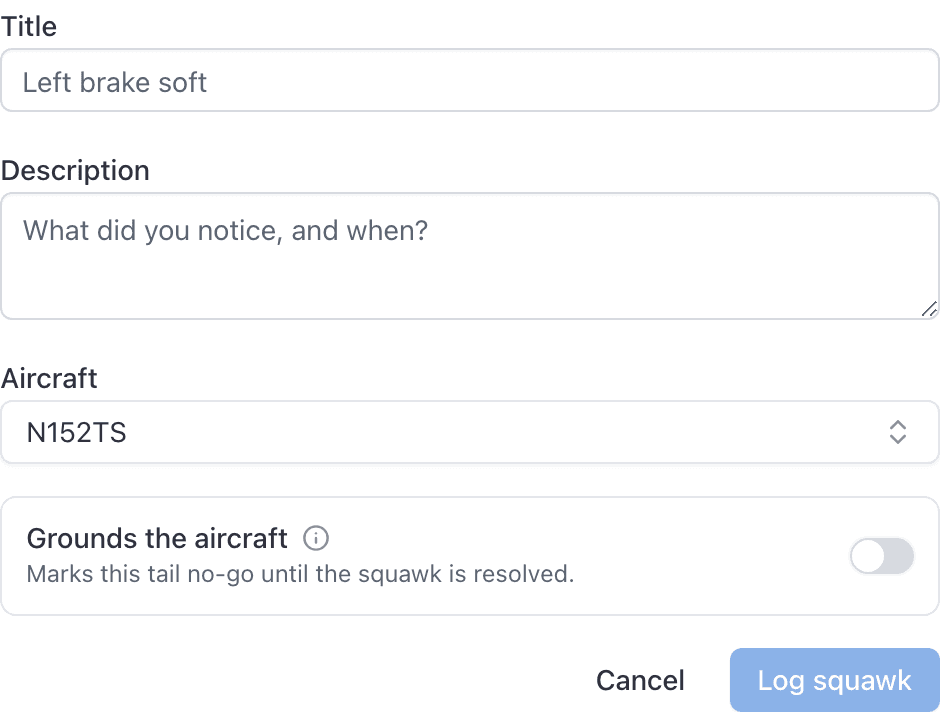
Click Log squawk
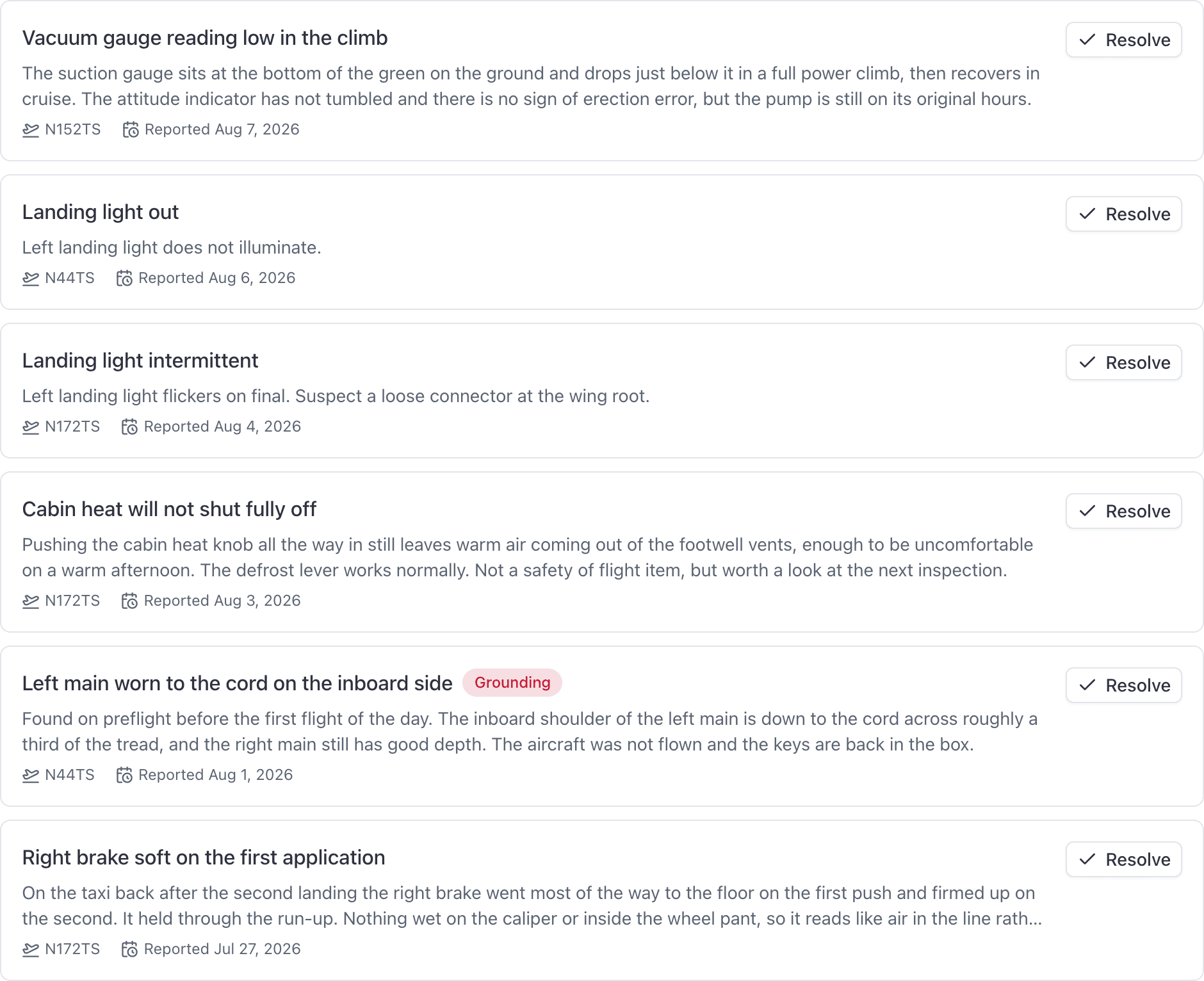
It appears under WebMaintenance → Squawks → Open, on the aircraft's page, and as an open-squawk note on the booking form for that tail.
Report one from the iOS app#
Anybody can file a squawk from the app, including instructors, students and renters. Open the aircraft, then Report Squawk from the gear menu. Use Take photo, Choose from Photos, or Browse Files on that sheet if you want a picture on the record.
Report one from a booking#
Open the booking on the schedule, then Open the full booking at the foot of the panel. Report a squawk sits in the close-out on that page, under whatever the booking is waiting on, with the tail already filled in.
This is also the route for an instructor, a student or a renter working from a booking they just flew. The Maintenance page is staff-only; the aircraft Squawks tab is not. Close-out still offers Report a squawk on any booking with an aircraft, from the moment it is on the board until it is billed.
Ground lessons and simulator bookings do not offer it, because there is no airframe to squawk.
The app asks after every flight#
Close a flight out on the phone and, right after you enter the Hobbs and tach readings, the Report Squawk sheet opens on its own with the aircraft already filled in. Fill it in and save, or tap Skip. Either way the close-out carries on to the completion sheet.
The console does not interrupt you the same way. It keeps Report a squawk on the booking's own page instead, which is there for as long as the booking is open.
Title and description are both required#
The Log squawk button stays greyed out until both are filled in. It used to grey out on a missing title alone, so a squawk with no description could be submitted and came back with a red "Description is required." on a form that had looked complete.
Keep the title under 50 characters#
The console form has no character counter and no length warning. A title over 50 characters, or a description over 500, fails with a message that names nothing: "Unable to create squawk." If you get that and everything looks filled in, shorten the title first, then the description. The app caps both fields correctly as you type.
Grounding the aircraft from the squawk form#
The console's Log a squawk dialog carries a Grounds the aircraft switch. Left off, which is the default, filing a squawk changes nothing about whether the aircraft can be booked. It is a note for the shop, not a no-go.
Switch it on and the tail is grounded as the squawk is filed, and the squawk itself carries a Grounding badge.
If you did not use the switch and the aircraft needs to come off the line, ground it separately from its own page. Only an admin or owner can do that.
Who gets told#
Every admin and technician in the school, except the person who filed it, gets an email and a push notification titled "Squawk reported on" the tail.
Dispatchers are not notified, even though they can read the squawk boards. Nobody can turn squawk alerts off. See Who gets maintenance reminders and squawk alerts.
A "Squawk filed" line is also written to the audit log.
Common questions
- Can I attach a photo to a squawk?
- Yes. When you report a squawk, attach up to five photos or PDFs. On the phone, use Take photo, Choose from Photos, or Browse Files. The photo shows on the squawk. The files stay on that squawk and cannot be deleted afterwards.
- What file types can I attach to a squawk?
- jpg, jpeg, png, and pdf, up to 25 MB each, and up to five files per report or per note. On the iPhone, Camera and Photos store as JPEG so the console can open them. Chrome on a Mac may not read a raw HEIC; export JPEG from Photos instead.
- Can I delete a photo after I attach it?
- No. Photos and PDFs follow the same append-only rule as notes. If a photo was the wrong one, add another note saying so.
Still stuck on this?
Email support@aerscheduler.com and tell us what you were trying to do. We answer.