
Who gets maintenance reminders and squawk alerts
On your own aircraft, only admins and technicians receive maintenance reminders and squawk alerts. On a customer's aircraft, technicians hear by their own setting and the aircraft's owners are reminded too. You can turn maintenance reminders off for yourself under Notifications. Squawk alerts cannot be turned off.
For owners, admins and technicians
On your own aircraft, only admins and technicians receive maintenance reminders or squawk alerts. On a customer's aircraft, technicians hear by their own setting and the aircraft's owners get reminders too. You can turn maintenance reminders off for yourself under Webyour organization's name → Notification settings. Squawk alerts have no switch and cannot be turned off.
On your own aircraft, only admins and technicians are notified#
On your organization's own aircraft there is no way to send maintenance reminders to anybody else. Dispatchers, instructors, students and renters are never emailed or pushed about an inspection or a squawk, whatever their notification settings say. A customer's aircraft is different, below: its owners are reminded whatever their role.
If the person who needs to know about the fleet is not getting anything, the fix is their role, not their preferences.
Customer aircraft are different#
An aircraft in for maintenance (one your shop looks after for an owner) works differently:
- Technicians choose which ones they hear about, under Customer aircraft inspections in their notification settings: Aircraft I've worked on (the default: aircraft you were assigned to on a past job), All customer aircraft, or Off. An aircraft nobody here has worked on yet goes to everybody whose setting is not Off, so nothing falls through.
- Admins hear nothing about customer aircraft unless they pick one of those settings themselves. The exception: an organization with no technicians signed in sends these to its admins, so somebody always hears, and their setting shows All customer aircraft until they change it.
- The aircraft's owners are reminded too: by default 30 days and 7 days before an inspection is due, when it is due, and when it is overdue; for one counted in hours, 10 hours before and when it is due. You can change those steps on the inspection, or for one aircraft (see Choose when reminders go out, below). One message lists everything that crossed a step at once, the most urgent first, and an inspection counted both ways ("100 hours or 12 months") gives both figures, whichever comes first. An owner who has not signed up is emailed at the address on the aircraft. Calendar steps go out in the working day where the organization is.
- Owners are not reminded about what they already know. Nothing goes out while the inspection is on a job the owner has been told about (booked in or further), nor for a week after that job is closed out as completed, while the sign-off is entered. On a job that is only requested, the reminder still goes, and names the job instead of asking them to call. When the aircraft is at the shop on another job, the reminder says so and asks them to have you add the inspection to it. A cancelled job hands the inspection back at once.
- Nothing goes out about a job held from the owner. While an inspection is on a job whose owner emails are on hold, its reminder waits, still owed, and follows the rules above once you lift the hold.
- Somebody who owns a customer aircraft and works here gets the due and overdue notices once, from the shop side by their own setting, and the earlier owner reminders as an owner.
How each person hears (email, push, or both) follows their Maintenance reminders switch; an owner's is called Inspection reminders, under Your aircraft. An owner who has not signed up is reached by email only.
Turn maintenance reminders off for yourself#
Open your notification preferences
Webyour organization's name → Notification settings, or AppSettings → Notifications in the app.
Find the Maintenance section
It only renders for admins and technicians, so if you cannot see it, you are not one.
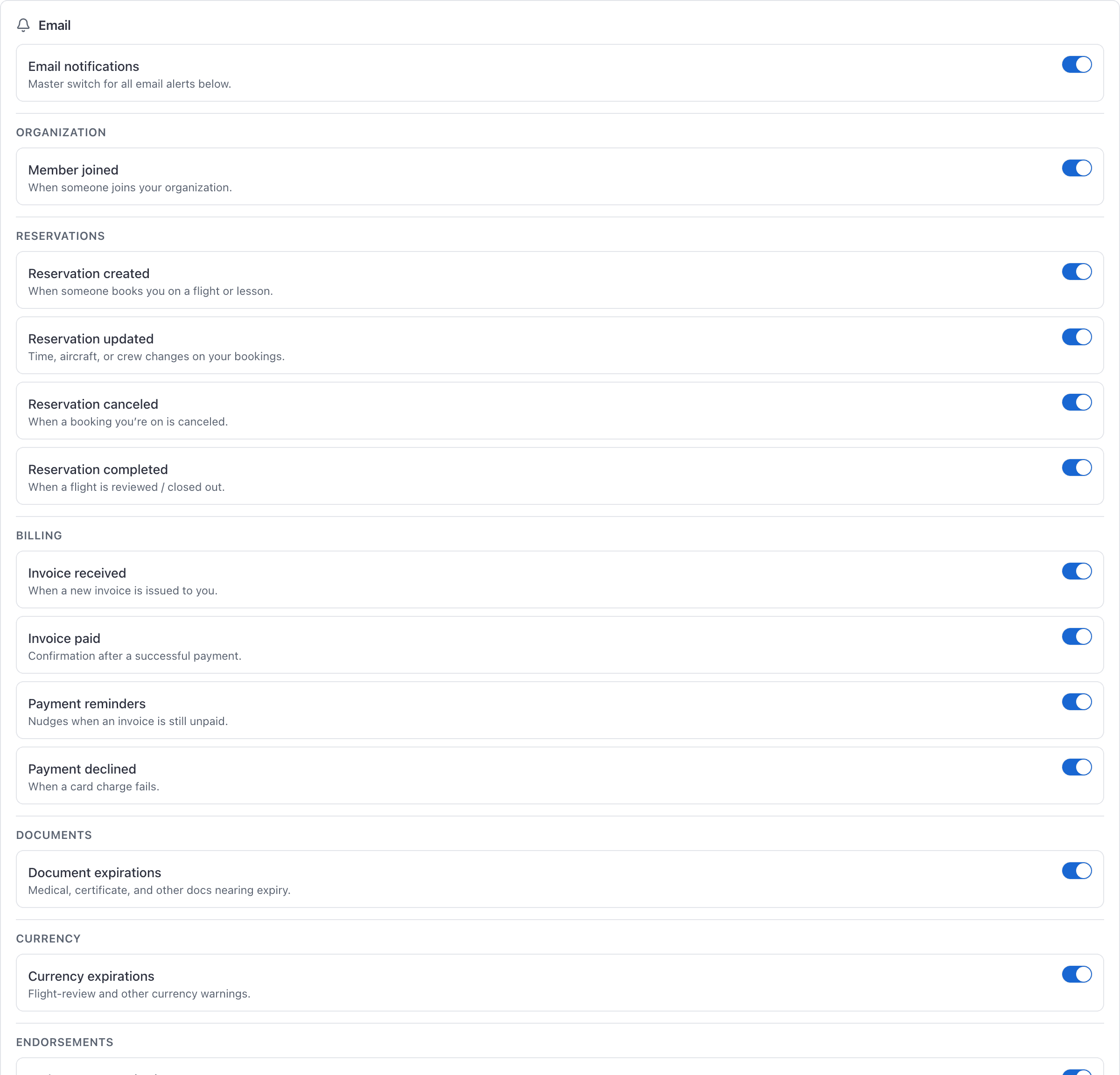
Toggle Maintenance reminders
One switch, covering aircraft inspection and due-item reminders. Email switches live on the console, as are push.
This is a personal setting. Turning it off for yourself does not stop anybody else being notified.
Squawk alerts cannot be turned off#
Every squawk filed sends an email and a push to every admin and technician in the organization, except the person who filed it. There is no switch for it on either surface.
When a reminder is actually sent#
Each inspection warns the shop at each of its reminder steps, tells everybody when it comes due, and tells the shop once more if it is still not signed off a day later.
An inspection starts with one step: the warning lead you set when you added it ("Warn me 10 hours out" warns at 10 hours remaining). Add more steps to warn earlier and again closer in, for example 90, 30 and 7 days before an annual, or 25, 10 and 5 hours before a 100-hour.
Each step goes once per cycle, and only the nearest one: an inspection first noticed 5 days out sends the 7-day reminder, not the 90, 30 and 7 at once. A step further out than one already sent is never sent after it. Signing the inspection off starts the steps again for the next cycle.
An inspection with no steps sends no early warning, only the due notification.
Choose when reminders go out#
For every aircraft an inspection covers
On WebMaintenance → Inspection rules, open the inspection's menu and choose Edit name, source and reminders. Under Reminders, add or remove steps for the shop and for the owners of customer aircraft, in days before it is due and, for one counted in hours, hours before. A list you have not changed shows its default and follows it.
For one aircraft
Open the inspection on that aircraft and click the pencil on Reminders. Steps set here apply to this aircraft only and carry on to the next cycle when it is signed off. Use the rule's puts a list back on the inspection's.
Hour-based inspections are checked when a reading is recorded#
Calendar inspections are checked automatically through the day, so a 12-month annual will warn you on its own.
Hour-based inspections move only when the aircraft's meters do. Their notification and their automatic grounding are checked each time a new Hobbs or tach reading reaches the aircraft:
- a flight closed out on that aircraft;
- Record a reading under Hobbs and tach on the aircraft's Overview;
- a work order's Hobbs and tach in or out;
- an inspection signed off with meter readings newer than the aircraft's;
- on a customer's aircraft, the owner's Update times, or the times they give with a request.
A reading dated before the newest one on record is kept as history and checks nothing.
Where the email link takes you#
A maintenance reminder links straight to the inspection it is about, which opens properly in the iOS app. An owner's reminder opens their aircraft, or their Home when it lists more than one aircraft.
A squawk alert's button lands on that squawk's own page, on both surfaces. Searching its title from anywhere in the console opens the same page.
Still stuck on this?
Email support@aerscheduler.com and tell us what you were trying to do. We answer.