
When AerScheduler grounds an aircraft by itself
An inspection carrying the Grounds the aircraft flag grounds its tail the moment it comes due, with the reason Maintenance. Signing the last one off puts the aircraft back on the line on its own.
For owners, admins, technicians and dispatchers
An inspection carrying the Grounds the aircraft flag grounds its tail the moment it comes due, with the reason "Maintenance". Signing off the last such inspection puts the aircraft back on the line by itself. Nothing else in AerScheduler grounds an aircraft on its own.
One switch, one behavior#
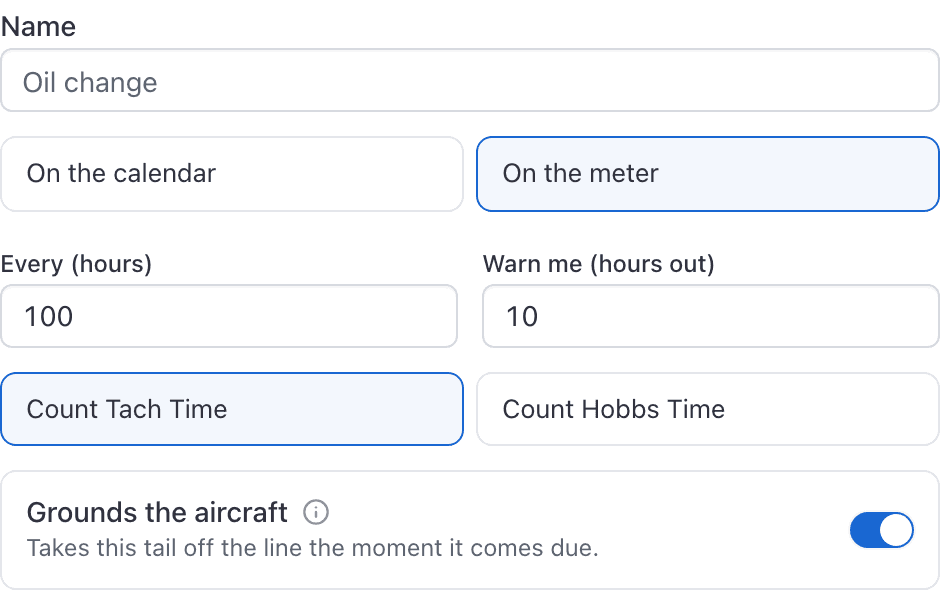
Every recurring and one-off inspection carries a Grounds the aircraft switch. With it on, the day that inspection comes due:
- The aircraft is grounded with the reason Maintenance.
- Every booking type except maintenance is refused on it with "Resource is grounded."
- The tail moves to the Grounded group at the top of WebMaintenance → Inspections.
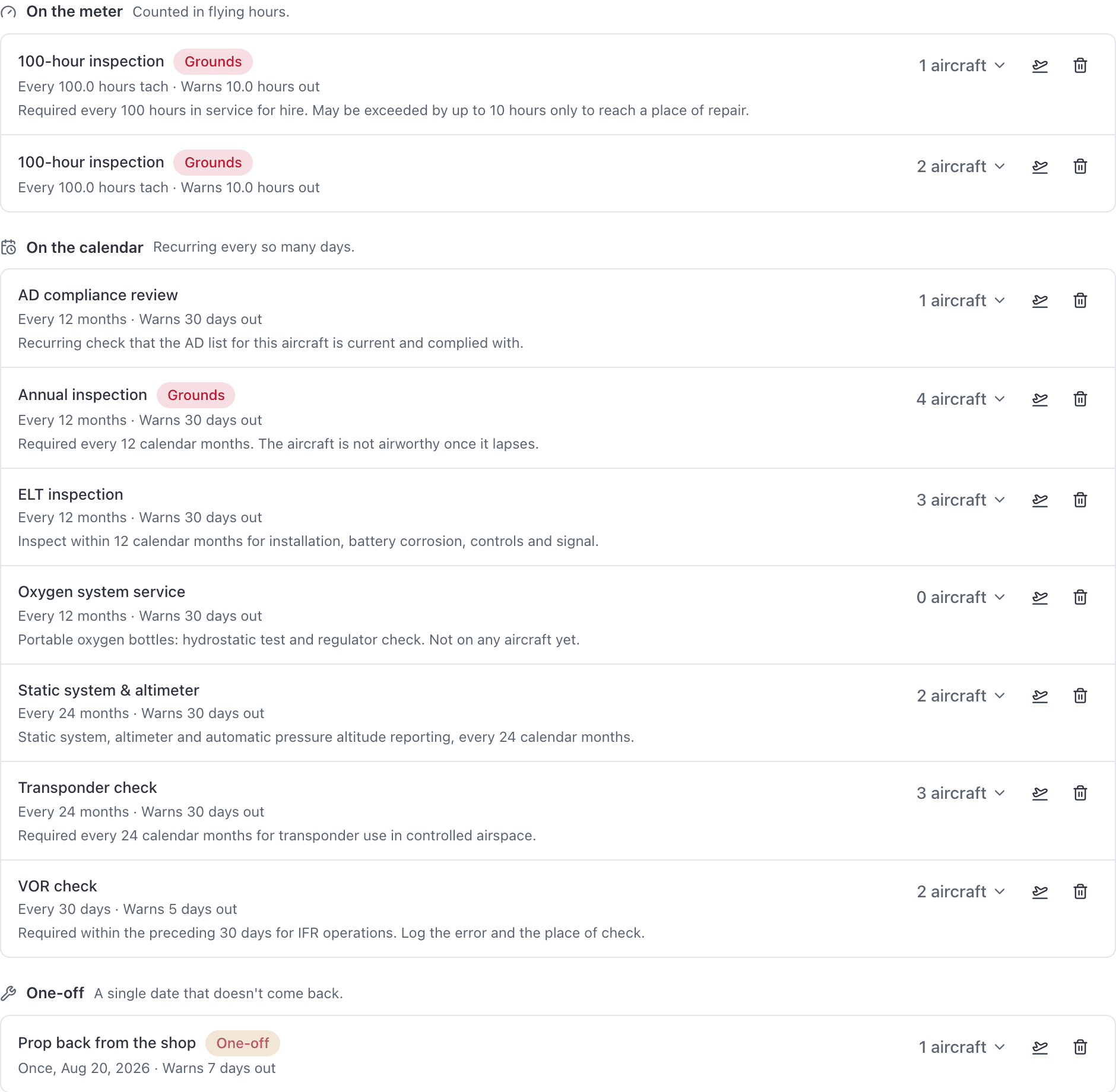
- The overdue inspection itself carries an amber Grounds tag.
With it off, the inspection still comes due, still shows as overdue, and still sends its reminders. The aircraft simply stays bookable.
Turn it on for an inspection#
The switch is on the Recurring and One-off forms in WebMaintenance → Add inspections. Afterwards it shows as an amber Grounds tag on the rule's row under WebMaintenance → Inspection rules.
Which of the standard inspections ground#
Of the seven AVIATES presets, exactly two: the Annual inspection and the 100-hour inspection.
VOR check, Airworthiness Directive review, transponder check, ELT, static system and altimeter, oil change and ELT battery replacement all come due without grounding anything.
What an automatic grounding looks like#
The same as any other grounding, with one tell: the reason reads exactly "Maintenance" rather than something a person typed.

An hour-based grounding waits for a meter reading#
Calendar inspections come due on their own, around the clock. Hour-based ones do not: they are checked when a new Hobbs or tach reading reaches the aircraft, and the grounding happens at that moment. That is a flight closed out on it, Record a reading on its Overview, a work order's Hobbs and tach in or out, or, on a customer's aircraft, the owner's Update times. Record a reading and a job's meters ask you to confirm a reading that would ground the aircraft before they save it.
So a 100-hour that is already past due on screen will not have grounded the aircraft yet if no reading has been recorded since. Correcting the tach by hand under WebAircraft → the tail → Edit does not trigger it; Record a reading does. More on this in Troubleshooting inspections and squawks.
Coming back off the ground#
Sign the inspection off and the aircraft returns to service by itself, as long as nothing else is still holding it. Every overdue inspection on the tail counts, not only the ones that ground, so an overdue oil change will keep it on the ground until that is signed off too.
Deleting the rule, or detaching that tail from it, clears the grounding the same way.
Reminders created during setup all ground#
The maintenance step offered while you are setting the school up creates every reminder as a grounding one, including the oil change.
If you set your fleet up that way, open WebMaintenance → Inspection rules afterwards and look at which rows carry the Grounds tag. An oil change taking a trainer off the line mid-morning is the support email this causes.
The switch defaults differently on web and on the phone#
| Where you create it | Grounds the aircraft starts |
|---|---|
| Console, Add inspections, Recurring or One-off | Off |
| iOS app, Add inspection | On |
| The maintenance step during setup | On |
Check it before you save, wherever you are.
Still stuck on this?
Email support@aerscheduler.com and tell us what you were trying to do. We answer.