
Why can't I book this aircraft?
If the booking is refused with "Resource is grounded", the aircraft has been taken off the line and only an admin or a technician can put it back. Open squawks are a warning and never block a booking.
For instructors, students, renters and dispatchers
If the booking is refused with "Resource is grounded.", somebody has taken that aircraft off the line and only an admin or a technician can put it back. Open squawks never block a booking: they are a warning and nothing more.
Read the airworthiness notice#
Pick the aircraft on the booking form and, if there is anything to know about it, an airworthiness notice appears above the form.

It carries two separate things:
- A red line reading that the tail is grounded, followed by the reason.
- An amber list of open squawks, with a count and up to four titles.
The red line means the booking will be refused. The amber list does not.
Grounded means the booking will be refused#
Save a booking on a grounded aircraft and it fails with "Resource is grounded." The only exception is a maintenance booking, which is allowed precisely so the aircraft can be taken to the shop and brought back.
A grounding comes from one of two places:
| Reason shown | Where it came from | How it lifts |
|---|---|---|
| The single word "Maintenance" | An inspection carrying the Grounds flag came due | Automatically, when the last such inspection is signed off |
| Anything a person wrote, like "Prop strike" | An admin or a technician grounded the tail by hand, or a squawk was filed with Grounds the aircraft switched on | Only when an admin or a technician clicks Return to service |
Open squawks are a warning, not a block#
An aircraft with four open squawks is still bookable. The notice is there so you can make the call: a soft brake is a different conversation from a burned-out map light.
If you think the tail should not fly, say so to an admin. Filing another squawk will not stop it being booked either.
Find every grounded aircraft in the picker#
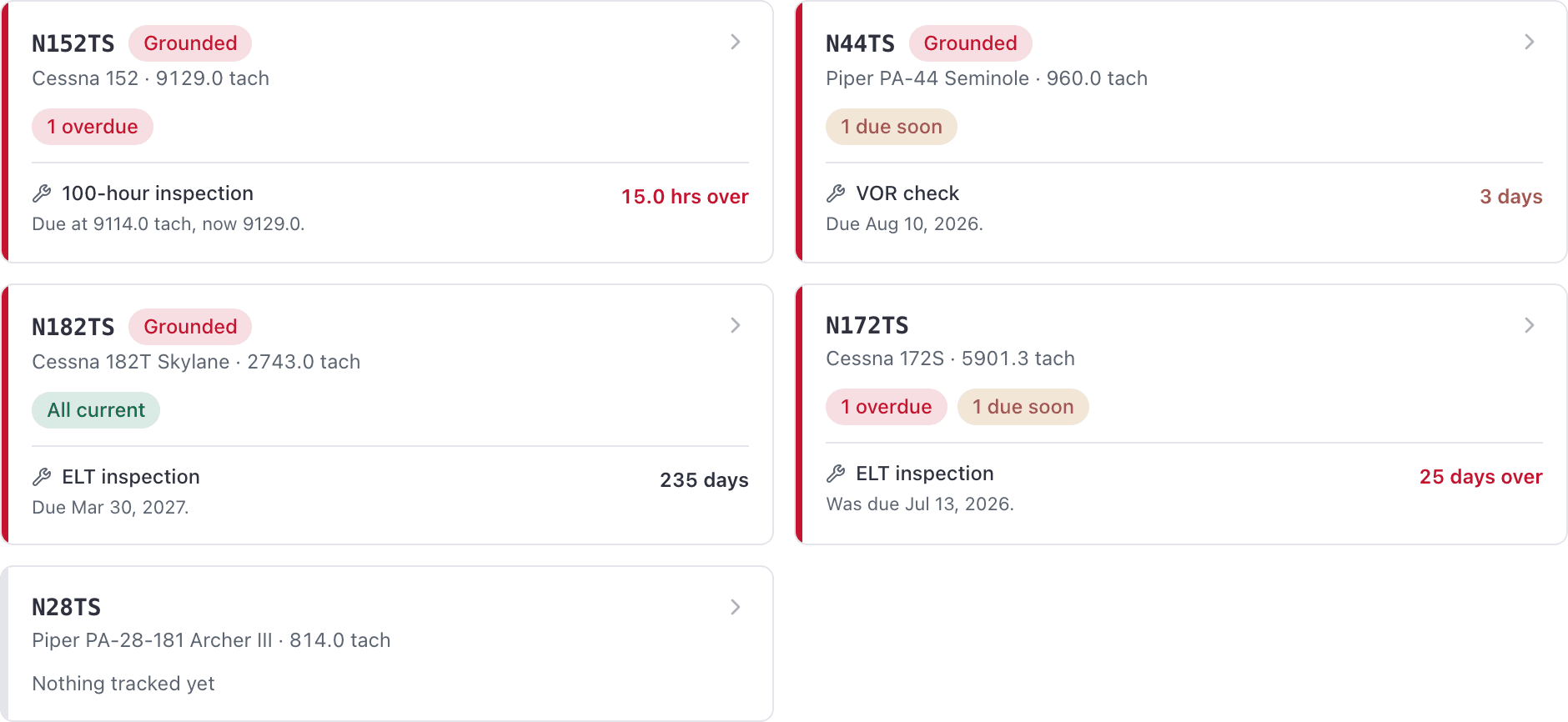
The aircraft picker on the booking form annotates each option with Grounded and with an open-squawk count, so you can see the state of the fleet before you commit to a tail. Typing "grounded" into the picker filters it down to what is out of service.
The same view, with more detail, is at WebMaintenance → Inspections, where grounded tails are the first group. Dispatchers, admins and technicians can open that page.
Dragging it on the dispatch board is refused too#
Dragging an existing booking onto a grounded aircraft fails with a message naming the tail and the reason, and telling you only maintenance can be booked on it. Ramping out a booking that is already on a grounded tail is refused as well, which is why a grounding that lands mid-morning needs somebody to work the board afterwards.
Who can lift a grounding#
Admins and owners. Not dispatchers, and not technicians, despite technicians owning the rest of the maintenance work.
If the grounding came from an inspection, the cleaner route is to sign that inspection off: the aircraft returns to service on its own. See Sign off a completed inspection.
Still stuck on this?
Email support@aerscheduler.com and tell us what you were trying to do. We answer.