
Who can do what in maintenance
Admins, owners and technicians do the work, work orders included; only admins price lines and raise the invoice. Dispatchers can read every board but cannot sign anything off, and do not see work orders. Instructors, students and renters cannot open the Maintenance board, but they can open a single squawk write-up and see open squawks on the aircraft page.
For owners, admins, dispatchers, technicians, instructors, students and renters
Admins, owners and technicians do the work. Dispatchers can read every board but cannot sign anything off, and do not see work orders. Instructors, students and renters cannot open the Maintenance board, but they can open a single squawk write-up and see open squawks on the aircraft page.
The short version#
| Owner, Admin | Technician | Dispatcher | Instructor, Student, Renter | |
|---|---|---|---|---|
| Open the Maintenance page | Yes | Yes | Yes, read only | No |
| Open one squawk write-up | Yes | Yes | Yes | Yes, read only |
| Add, edit or delete an inspection rule | Yes | Yes | No | No |
| Sign off an inspection | Yes | Yes | No | No |
| File a squawk | Yes | Yes | Yes | Yes |
| Add or remove aircraft papers | Yes | Yes | Yes | No, can open booker files |
| Resolve a squawk | Yes | Yes | No | No |
| Verify a squawk | Yes | Yes | No | No |
| Ground an aircraft or return it to service | Yes | Yes | No | No |
| Record a Hobbs and tach reading | Yes | Yes | No, can read them | No |
| Edit an aircraft's details, meters or rates (Aircraft → Edit) | Yes | No | No | No |
| Book maintenance | Yes | Yes | Yes | No |
| Maintenance due and Squawks & downtime reports | Yes | Yes | Yes | No |
| Maintenance shop reports (Work orders, Labor and parts) | Yes | Yes | No | No |
| Audit log | Yes | No | No | No |
| Work orders and customer aircraft | ||||
| See customer aircraft and their owners | Yes | Yes | Yes | No |
| Add a customer's aircraft or an owner | Yes | No | No | No |
| Change an owner's customer details (billing address, notes) | Yes | No, can read them | No | No |
| Email an owner how to sign in | Yes | No | No | No |
| See work orders (Maintenance → Open jobs, Finished jobs) | Yes | Yes | No | No |
| Open a work order, and move it through its stages | Yes | Yes | No | No |
| Choose who a job is billed to | Yes | No: a job they open goes to the billed owner | No | No |
| Add findings, labor and parts | Yes | Yes, at the shop's rates | No | No |
| Change a line's price, rate, markup, discount, tax or billing | Yes | No | No | No |
| Change a line somebody else entered | Yes | No | No | No |
| Send findings to the owner, record the owner's answer | Yes | Yes | No | No |
| Raise the job's invoice | Yes | No | No | No |
| Delete a job opened by mistake | Yes | No | No | No |
| Set the shop's rates (Settings → Shop rates) | Yes | No | No | No |
| Set sales tax rates (Settings → Sales tax) | Owners only; admins can read them | No | No | No |
Roles add up rather than ranking. A technician who is also an instructor gets both sets.
Technicians#
The technician role is built around the shop. A technician can open every maintenance board, add and sign off inspections, resolve and verify squawks, ground an aircraft and return it to service, record a Hobbs and tach reading, and book an aircraft in for maintenance, which is the only booking type they can create.
On work orders, a technician opens jobs, moves them along, adds findings, sends them to the owner and records the owner's answer. They enter their own labor and parts at the shop's rates, so they see those rates and what each job charges, and they change only the lines they entered. Only people with the technician role can be put on a job or a labor line, so give an admin who works on aircraft that role too. See Run a work order.
What a technician cannot do:
- Edit an aircraft's details, meters or rates under Aircraft → Edit. They record a reading instead, on the aircraft's Overview or as a job's Hobbs and tach.
- Add a customer's aircraft or an owner, choose who a job is billed to, price a line, or raise the invoice.
- See revenue or the Invoices tab on an aircraft's page, or open Billing.
- Open the audit log.
- See simulator or classroom lanes on the dispatch board.
Dispatchers#
A dispatcher sees the whole Maintenance page: all five views, the same cards, the same counts. What is missing is every button that changes something. No Sign off, no Resolve, no Add inspections, no delete.
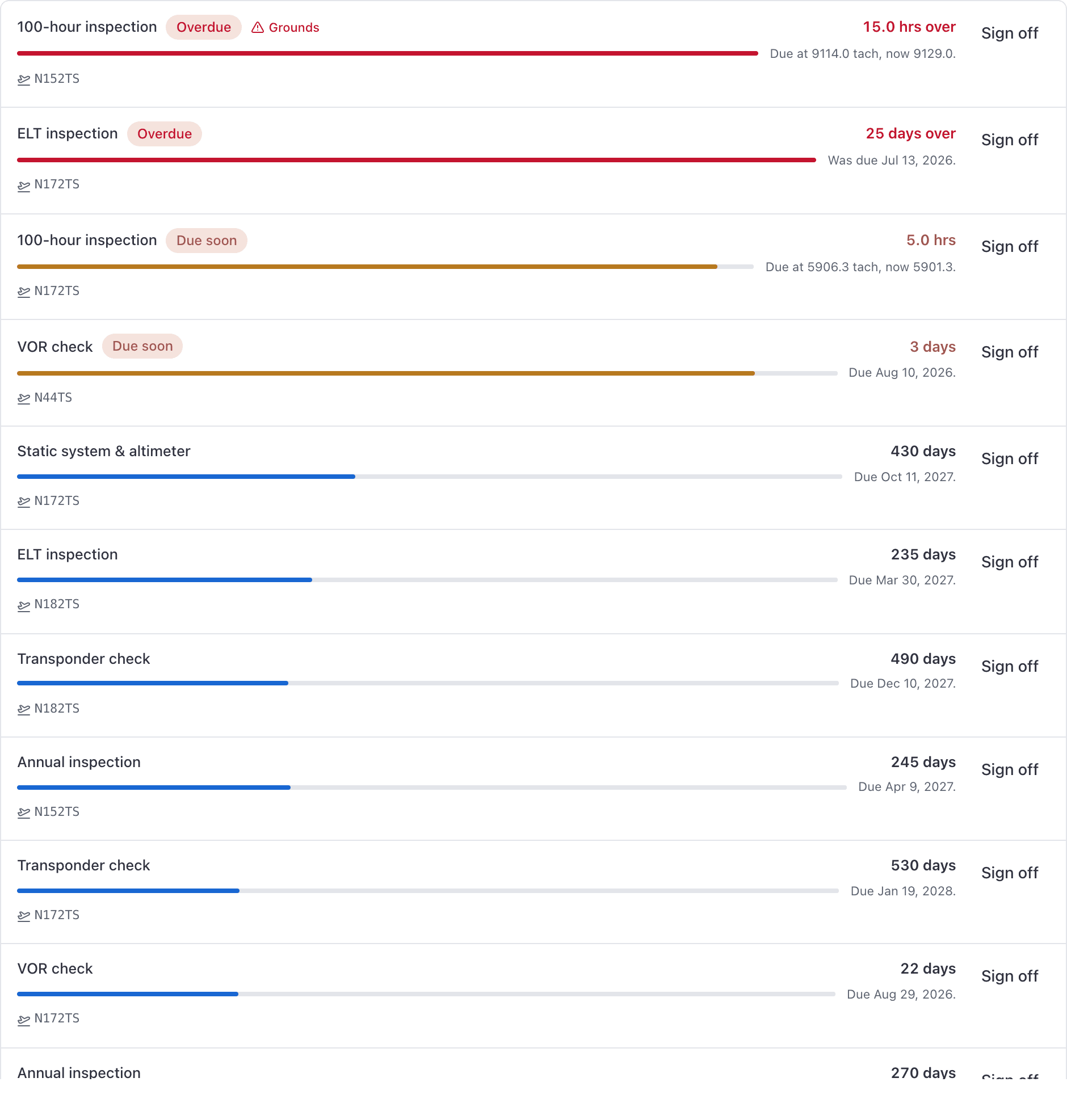
Dispatchers can still file a squawk, book maintenance, and run the fleet reports. They are not sent maintenance or squawk notifications.
Dispatchers see customer aircraft, their owners and their hangar bookings, but not the work orders behind them: no Open jobs, no prices and no shop reports. A maintenance booking that holds a job shows them the customer and a grounded mark, not the request.
Instructors, students, and renters#
These roles cannot open the Maintenance page. In the console the sidebar link is not there,
and following /maintenance anyway redirects to your own page.
They can still read a squawk. Open the aircraft, then Squawks. That list is the open defects on that tail, so you can see whether someone already filed the crack you just found. Click a row for the write-up and photos. Adding a note, verifying, and resolving stay with the shop.
They can also open the aircraft Papers when the school has put a POH or weight and balance on that tail. See Aircraft papers.
A /maintenance/squawks/123 link (from a notification or a colleague) opens that same
write-up. It does not dump you on Home.
They do also see what matters at the moment of booking: the grounding reason and the open-squawk count on the airworthiness notice. See Why can't I book this aircraft?.
To file a squawk from the console, use Log on that Squawks card, or Report a squawk on a booking's close-out. The iOS app still has Report Squawk on the aircraft and at close-out. See Report a squawk.
Admins and owners#
Everything above, plus what nobody else can do: editing an aircraft's details and meters, adding customer aircraft and owners, choosing who a job is billed to, pricing lines, raising the invoice and setting the shop's rates. Owners get everything an admin gets, and only an owner saves sales tax rates.
Verify and resolve are two different stamps#
Both belong to admins, owners and technicians, and both are on either surface. Verifying records that somebody checked the fault; resolving records what was done about it. Neither requires the other, so a squawk can be resolved having never been verified. The Verify button disappears once a squawk carries either stamp, so verify first if your shop uses it as a second signature.
Still stuck on this?
Email support@aerscheduler.com and tell us what you were trying to do. We answer.