
Book a trip that keeps the aircraft overnight
Multi-day bookings are off until an admin turns them on, and they cannot be turned on until the school has a time zone, because the number of nights decides the bill.
For owners, admins, dispatchers, renters and instructors
Multi-day bookings are off until an owner or admin turns them on under WebSettings → Booking preferences, and the switch stays disabled until your school has a time zone set. Once on, the booking form asks when the aircraft goes out and when it comes back, and each night away can bill a minimum number of hours.
Turn multi-day bookings on#
Go to WebSettings → Booking preferences and turn on Allow multi-day bookings.
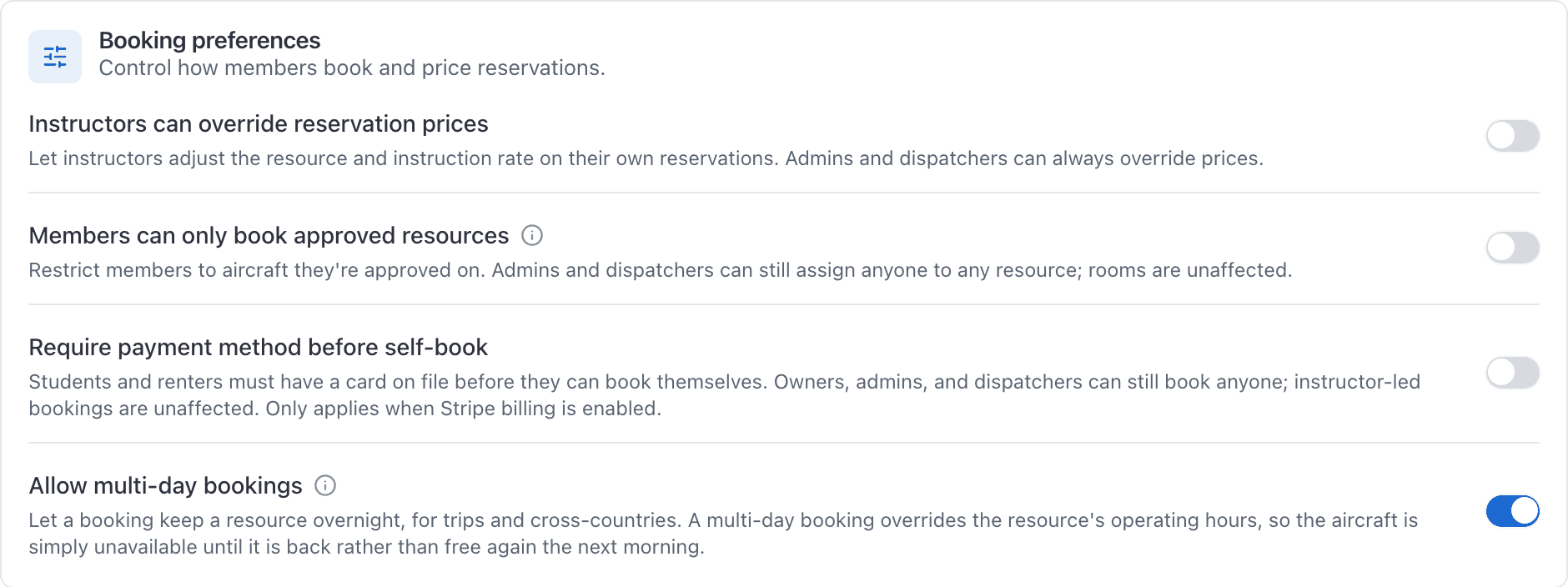
Until it is on, any booking that crosses local midnight is refused, wherever it was made from:
This booking would keep the aircraft overnight, and multi-day bookings are turned off for this organization. An owner or admin can enable them in Settings, under booking rules.
Dispatchers cannot change this. The whole Settings area is admin only.
Set a time zone first, and why#
The toggle is disabled, not merely warned about, until your school has a time zone. Set one under WebSettings → Organization, and give each field its own zone under Facilities if you fly from more than one airport. The panel tells you what is still missing.
More on the underlying rule in Why the schedule shows airport time.
Book across days#
With the setting on, the date row on the booking form changes. Date becomes Out on, and two new fields appear: Back on and Back at.
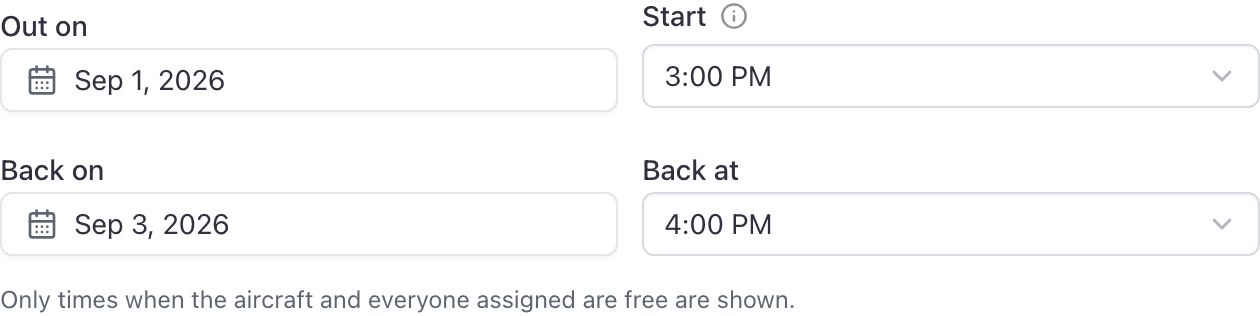
Pick the departure date and start time as usual, then move Back on out to the return day. The picker keeps the time of day where it can, and offers only end times that fit inside the free window the booking starts in.
What midnight means#
A booking that ends exactly at local midnight is an ordinary same-day booking. Midnight is the last slot the end-time picker offers on any day.
| Booking | Multi-day? |
|---|---|
| 10:00 PM to midnight | No. An evening flight. |
| 10:00 PM to 12:15 AM | Yes. A night away. |
That fifteen minutes is the difference between a booking that works with the setting off and one that is refused.
How nights are counted#
Nights are counted at the airport, in the airport's zone, never on your device. A late flight that lands before midnight local is not a night away, even if it is already tomorrow where you happen to be sitting.
The overnight minimum on the bill#
An overnight minimum is a floor on the hours billed per night the aircraft is away. Set the school's figure under WebSettings → Billing. An individual aircraft can override it on its own rates: leave it blank to inherit the school's figure, or set it to zero to exempt that tail.
AerScheduler discloses the effect before the invoice exists, twice.
On the booking form, as you extend the return date:
This keeps N12345 out for 2 nights. Your school bills at least 2.0 hours per night away, so this booking will bill a minimum of 4.0 hours even if you fly less.
And again in the ramp in modal, live, as the ending Hobbs is typed:

A booking that comes back the same day is never affected. See Charge a minimum for overnight trips for the billing side.
The aircraft is gone, not free overnight#
A multi-day booking overrides the aircraft's normal operating hours. The aircraft is unavailable for the whole span, not free again at 8:00 AM the next morning, because it is physically somewhere else.
That is the behaviour you want, and it is also why nobody else's Start dropdown will offer those days.
Still stuck on this?
Email support@aerscheduler.com and tell us what you were trying to do. We answer.