
Who can book, edit and cancel: scheduling by role
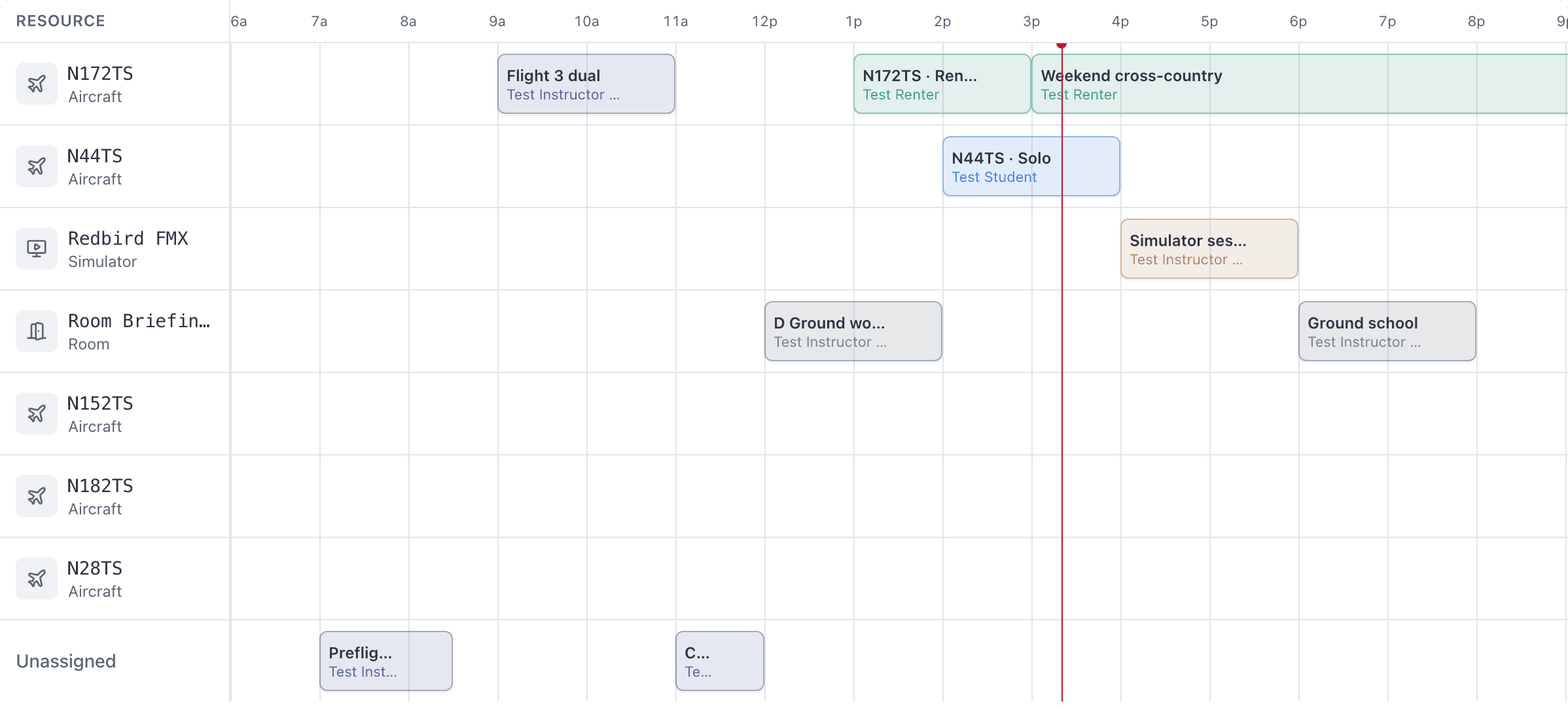
Everyone in the school sees the whole schedule. What changes by role is which lanes are drawn, what you can create, and what you can act on.
For owners, admins, dispatchers, instructors, students, renters and technicians
Every member of the school can open WebCalendar and see every booking in it. What changes by role is which lanes are drawn, which reservation types you can create, and which bookings you can act on.
Everyone sees the whole board#
The schedule is a shared, view-only mirror of the school. A student can see the flight the club president has booked on Saturday, including who is on it. This is deliberate, not an oversight, because a dispatch board that showed you only your own flights would not tell you whether an aeroplane is free.
Two things narrow the picture:
- Renters and technicians see aircraft lanes only. Room and simulator lanes are not drawn for them.
- Everyone else, including students, sees aircraft, simulator and room lanes.
Owners and admins#
Identical for scheduling. They can create any of the eight reservation types, assign anyone, edit, reschedule, drag, cancel, ramp out, ramp in, fill in Who pays what, close out and bill a guest flight, and raise an invoice for a closed-out booking by hand. They also own the booking rules, the school's time zone and the overnight minimum.
They cannot sign off somebody else's close-out. The PIN is personal, and only people on the booking can confirm it.
Dispatchers#
Everything on the board: create any type, assign anyone, edit, drag, cancel, ramp, and set who pays what. What they cannot do is reach Settings at all, raise an invoice by hand, or see financial reports.
Instructors#
Can create Solo, Shared flight, Dual, Ground, Guest and Sim bookings, book themselves in, and act on any booking they are on: edit it, ramp it out and in, sign off their own close-out, and change who else is on it. They can close out and bill a guest flight they are the instructor on.
They cannot create a Rental or a Maintenance booking.
An admin can also let an instructor ramp out and ramp in bookings they are not on, from People → their record → Permissions → Ramp any flight out and in. See Let an instructor ramp any flight.
Students#
Can create Solo, Shared flight, Dual, Ground and Sim bookings, book themselves in from WebYou → Book or by clicking an empty slot on the board, edit and reschedule bookings they are on, ramp out and ramp in, and sign off their own close-out. They can change which instructor they are flying with on their own booking.
They cannot create a Rental, a Guest flight or Maintenance, and they cannot take a classmate off a group booking. Trying gets "You can only take yourself off this booking. Ask an instructor or the front desk to remove someone else."
Renters#
Can create Rental and Shared flight bookings, self-book a rental from the aircraft they are checked out on, edit and reschedule bookings they are on, ramp out and in, and sign off.
They cannot create Dual, Solo, Ground, Sim, Guest or Maintenance, and they do not see room or simulator lanes.
Technicians#
Can create Maintenance bookings, including on an aircraft that is already grounded, which is the one exception to the grounding rule. Maintenance exists to get the aeroplane back in service, so it is allowed at every gate.
A maintenance booking carries nobody. The server refuses one with any person attached. A technician still finds their own maintenance under WebYou → Schedule, because AerScheduler matches the maintenance they created rather than who is rostered on it.
Technicians can cancel any booking in the school.
Which types each role can create#
| Role | Dual | Solo | Shared flight | Rental | Guest | Ground | Sim | Maintenance |
|---|---|---|---|---|---|---|---|---|
| Owner, Admin | Yes | Yes | Yes | Yes | Yes | Yes | Yes | Yes |
| Dispatcher | Yes | Yes | Yes | Yes | Yes | Yes | Yes | Yes |
| Instructor | Yes | Yes | Yes | No | Yes | Yes | Yes | No |
| Student | Yes | Yes | Yes | No | No | Yes | Yes | No |
| Renter | No | No | Yes | Yes | No | No | No | No |
| Technician | No | No | No | No | No | No | No | Yes |
Roles are independent and you can hold several at once, so somebody who is both an instructor and a renter gets the union of the two rows.
Who can cancel a booking#
Cancelling has its own rule, and it is narrower than editing:
| Who | Can cancel |
|---|---|
| Owner, admin, dispatcher | Any booking |
| Technician | Any booking |
| Anybody else | Only a booking they created themselves |
Because it turns on who created the booking, the same student gets different answers on two identical flights: the one they booked themselves can be cancelled, the one the front desk booked for them cannot.
On the web console, students and renters are not shown a Cancel button at all, even on a booking they created, because the board cannot see who created it. They can cancel from the iOS app, or ask the front desk. See Why can't I edit, move or cancel this booking?.
Related#
What each of the eight types books, and who fits on it.
The org-wide switches, and what a dispatcher cannot reach.
When a booking locks, and which rule caught you.
Still stuck on this?
Email support@aerscheduler.com and tell us what you were trying to do. We answer.