
Charge a course enrollment fee
Set one amount per course and the wording that lands on the invoice. Each student records that amount as owed on the day they enroll, and it is billed in one click.
For owners and admins
Open the course, go to Students, and fill in the Enrollment fee card: an amount, and the wording that lands on the invoice line. From then on every student enrolled records that amount as owed, and you bill it in one click from their training record.
Set the fee#
Course → Students
The Enrollment fee card sits above the student list.
Type the Amount
In dollars. It has to be more than zero: a zero is refused with "A fee has to be more than zero. Leave it empty for a free course." Anything over $100,000 is refused as a typo.
Type how it reads on the invoice
Up to 60 characters. Leave it blank and the line reads "<Course name> enrollment fee".
Click Save
The card confirms what you have just armed: "Enrolling a student will record $X owed, billable in one click from their record."

The fee belongs to the course, not to a syllabus version, so it stays editable after the syllabus is published. A price is a commercial decision, not part of the document you file with your FSDO.
How it reads on the invoice#
Whatever you typed lands verbatim on the invoice line, so write it the way a student should read it on a statement: "Private Pilot course enrollment", "PPL ground school and materials".
The result is an ordinary custom invoice for that one line. It appears in Billing alongside every other invoice, is paid the same way, and syncs to QuickBooks with the rest. See How billing works.
Bill it from the student's record#
Open the training record
WebTraining → Students and click the row, or the person's page → Training → the enrollment.
Stay on Overview
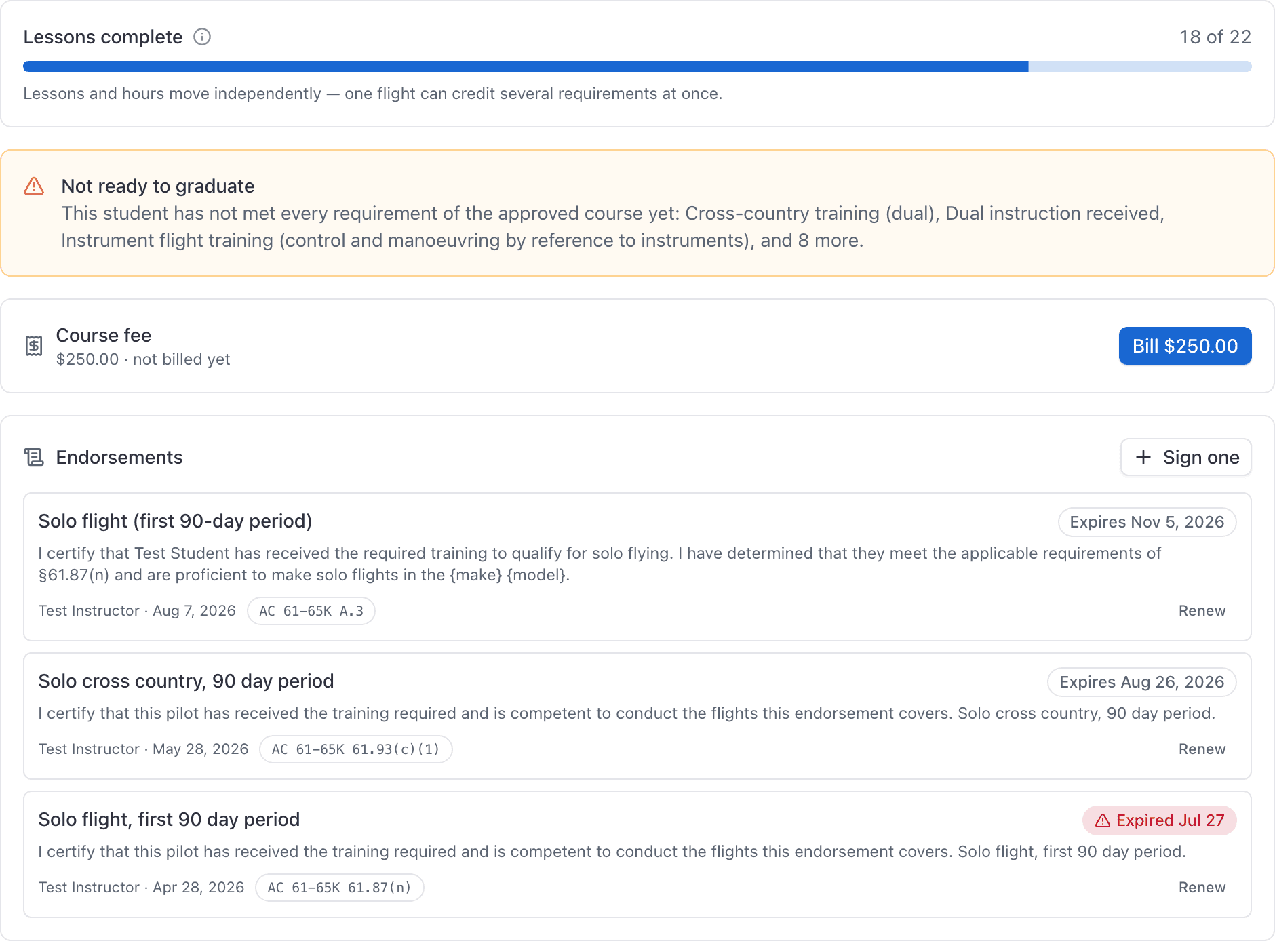
The Course fee card shows the amount recorded when they enrolled.
Click Bill $X
The card flips to Invoiced. If invoicing is on, a View invoice button opens it. If the school bills on the member ledger instead, there is no invoice to open: the fee is still billed, and a second click is refused.
Bill it from the app#
On the iPhone, the same action is a Bill button on the enrollment screen, behind a confirmation naming the amount.
It is deliberately not queued when you are offline. Unlike grading, it waits for signal rather than storing itself on the phone, because raising an invoice from a stale copy of a record is not something to do twice.
It can only be billed once#
The link between an enrollment and its fee is unique on purpose, whether that is an invoice or a ledger charge. A second attempt is refused with "That enrollment fee has already been billed."
Two more things worth knowing:
- A terminated enrollment is still billable. A student who quits in week two may still owe the fee, so ending an enrollment never withdraws it.
- A free course shows no card at all. If the course had no fee on the day they enrolled, there is nothing to bill, so the Course fee card is left off the record entirely, on the web and in the app.
Changing the price later#
The amount is snapshotted onto each enrollment the day the student enrolls. Raising or lowering the fee afterwards only affects people enrolled from that point on. Nobody already in training is re-priced, and nobody already invoiced is touched.
Still stuck on this?
Email support@aerscheduler.com and tell us what you were trying to do. We answer.