
Add hour and landing requirements to a course
Requirements are what a student must accumulate before graduating, tracked separately from lessons. Set the amount, where it comes from, and any simulator, transfer or recency limit.
For owners and admins
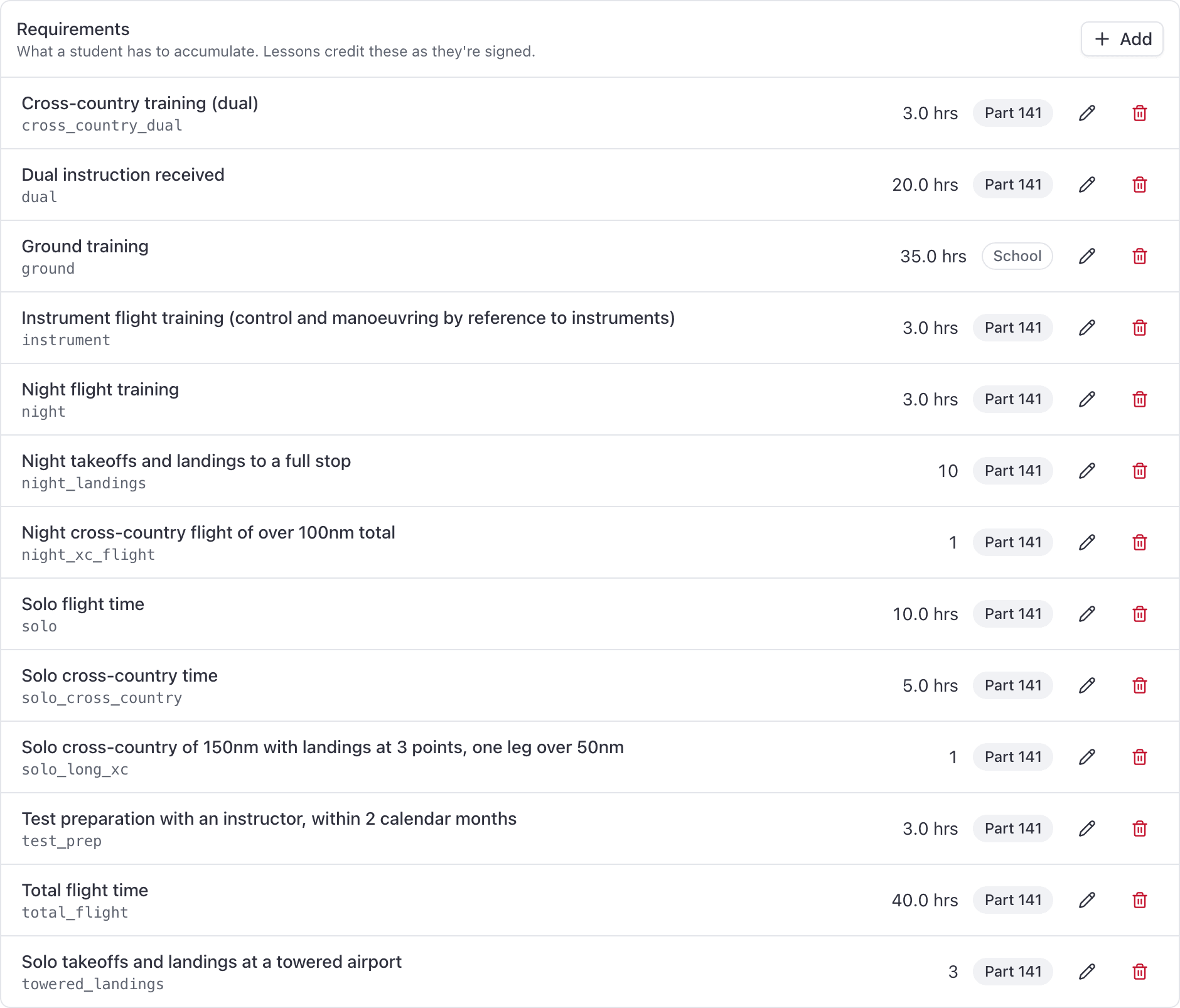
Open the course and go to Requirements, then click Add. A requirement is what a student must accumulate before graduating (40 hours total, 3 hours night, 10 night landings), tracked separately from lessons. Set the amount, set Comes from, and set any simulator, transfer or recency limit.
Requirements belong to a syllabus version, and the version has to be a draft. Add them before you build the lessons: the Credits toward box in the lesson dialog is empty until requirements exist.
Add a requirement#
Course → Requirements → Add
Enter a Code and a Label
The Code is a short stable key, for example night. It has to be unique inside the
version. The Label is what the student reads on their record, so write it the way you
would say it out loud: "Night flight training".
Choose Comes from
Part 61, Part 141, or Our own. This decides whether the requirement can ever block a graduation. See below.
Choose Measured in, and the amount
Hours or Events. Never both. The amount is required: a requirement with no hours and no count is treated as already met, so the save is refused until you put a number in.
Set the limits, if any
For an hours requirement you can set Simulator limit %, Transfer limit %, and Only count training from the last … months.
Click Add requirement
The requirement appears immediately on every enrolled student's Requirements tab, and becomes tickable under Credits toward on any lesson in the same version.
Hours or events, never both#
Choose Hours for anything measured on a clock: total time, dual received, night flight training. Choose Events for anything you count: 10 night landings, one long solo cross-country.
An events requirement is fed by lessons that tick per lesson under Credits toward, so one signed lesson posts one event.
Comes from: Part 61, Part 141 or Our own#
| Comes from | On the student's record | Blocks a Part 141 graduation? |
|---|---|---|
| Part 61 | Shows a Part 61 badge | Yes |
| Part 141 | Shows a Part 141 badge | Yes |
| Our own | Shows a School badge | No, never |
Simulator and transfer limits#
Both are percentages of that one requirement.
- Simulator limit % caps how much of the requirement may be met with device time. Appendix B allows 20% or 15% depending on the course.
- Transfer limit % caps how much may come from previous training. §141.77 allows 50% from an approved Part 141 or 142 course, and 25% otherwise.
Leave a box empty for no ceiling.
Only count training from the last N months#
Some requirements only count recent training, for example the test-preparation hours that have to be flown close to the checkride. Set Only count training from the last … months and older training stops counting toward that one requirement. It stays on the record and on the ledger, and the student's Requirements row says so.
Connect requirements to lessons#
A requirement on its own accumulates nothing. Hours reach it in two ways:
- A signed lesson that credits it. Open each lesson in the Syllabus tab and tick this requirement under Credits toward, choosing flight time, ground time or per lesson. Build a syllabus
- A credit posted by hand, for prior training or device time. Credit prior training and simulator time
Editing and deleting#
Edit or delete a requirement with the controls on its row, while the version is a draft. Once the version is published, the whole requirement set is frozen with it, and the only way to change it is a new version. See Publish a syllabus version.
Still stuck on this?
Email support@aerscheduler.com and tell us what you were trying to do. We answer.