
Create a course
Start from one of the four built-in syllabi, or from an empty course. Either way you choose Part 61 or Part 141 once, and you get a single editable draft called Rev A.
For owners and admins
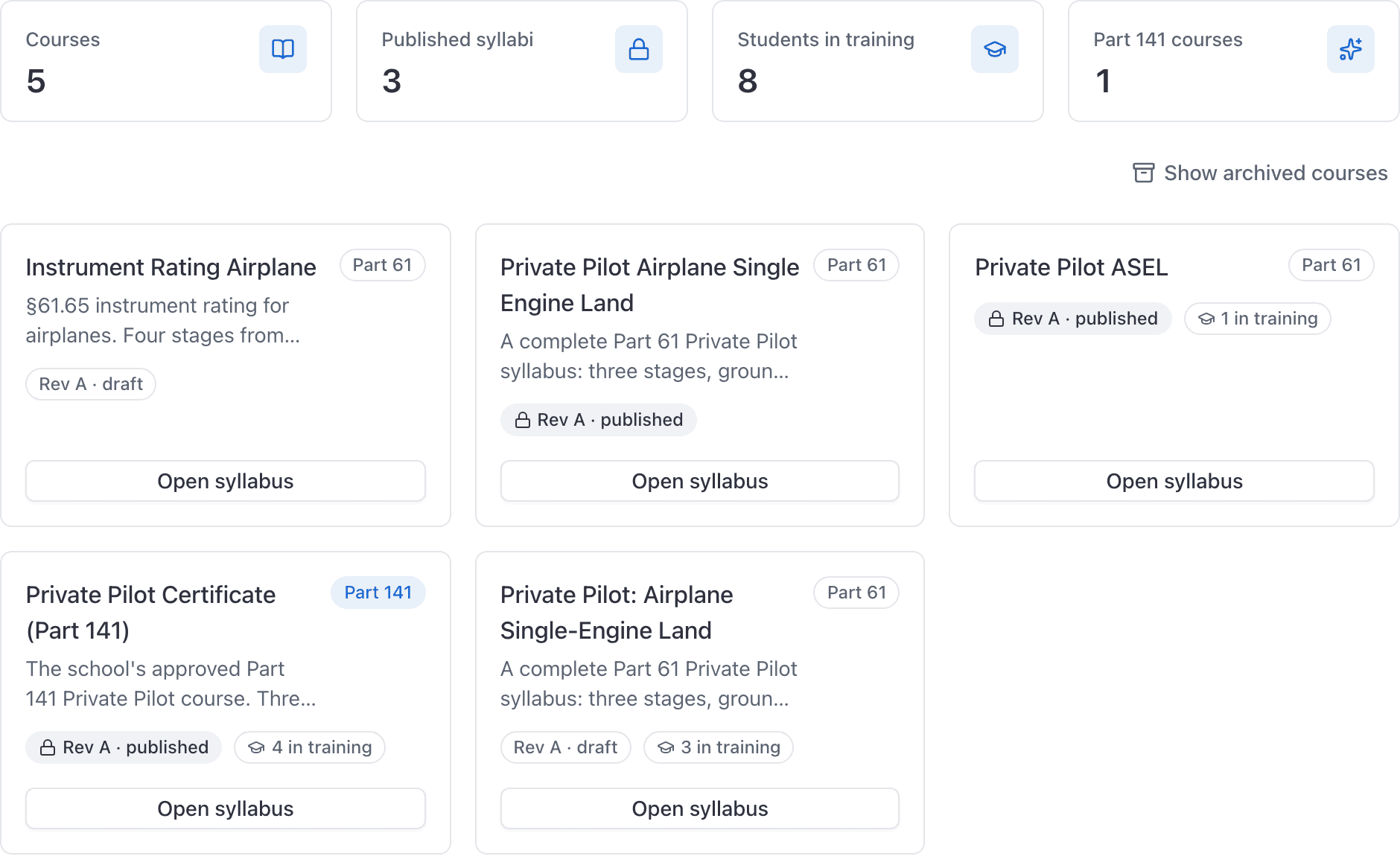
WebTraining → Courses. Start from a template forks one of the four built-in syllabi. New course gives you an empty one. Either way you get a single editable draft version called Rev A, and the Part 61 or Part 141 choice is made once and cannot be changed.
Decide Part 61 or Part 141 first#
Trained under is the only field on a course that can never be edited afterwards, by anyone, on any screen. Settle it before you type a name.
Templates are always created as Part 61. If you are running an approved Part 141 course, use New course, pick Part 141, and build the syllabus yourself. See Part 61 vs Part 141.
Start from a template#
Open Training
WebTraining in the left rail, and stay on the Courses section.
Click Start from a template
The picker lists the four shipped syllabi, each with its stage, lesson and requirement counts on the button.
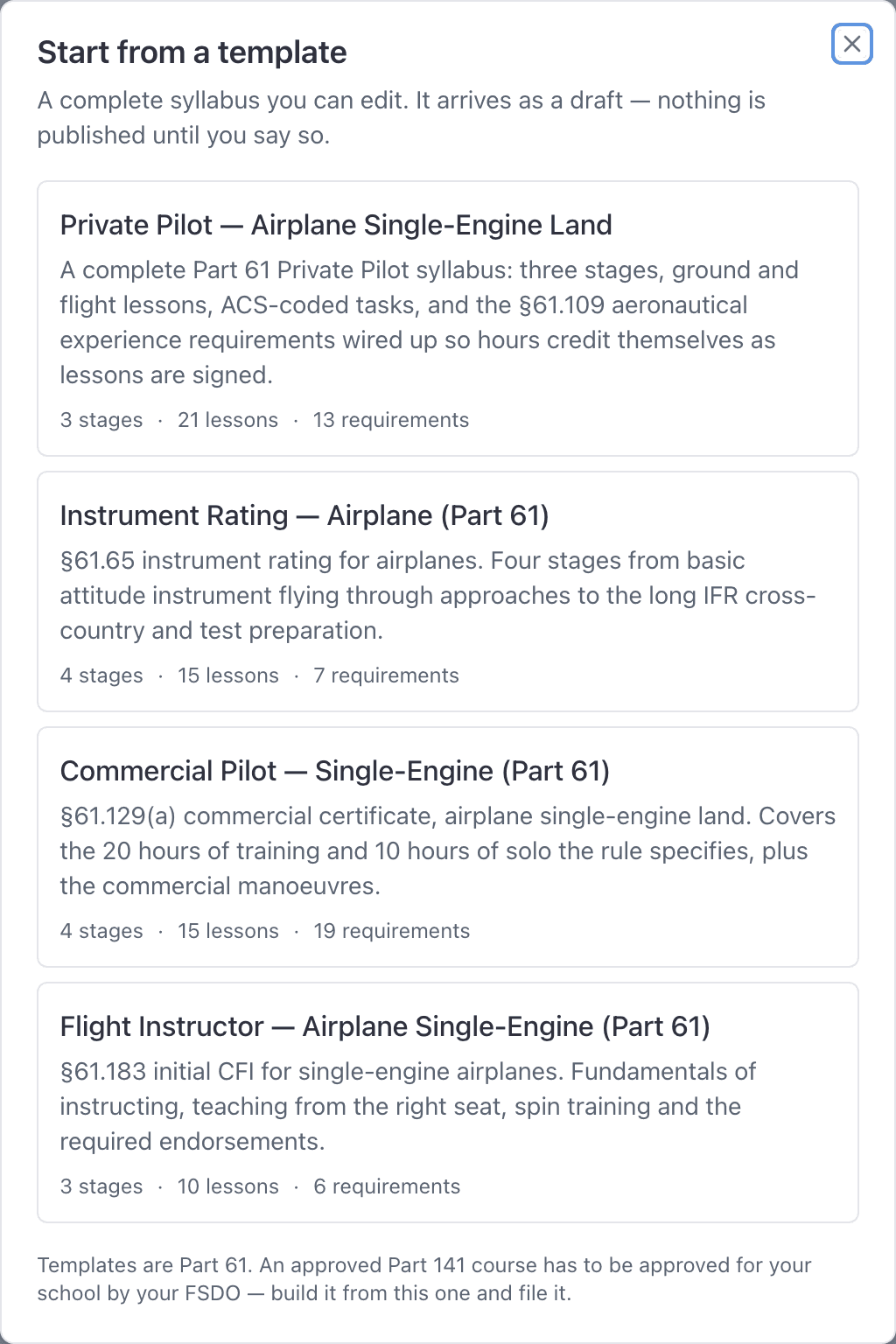
Pick one
The course is created and the console opens its Syllabus tab straight away.
What is in each template#
| Template | Notes |
|---|---|
| Private Pilot, Airplane Single-Engine Land | The requirement list has been checked line by line against §61.109(a). |
| Instrument Rating, Airplane (Part 61) | Check the requirement list against the CFR before you rely on it. |
| Commercial Pilot, Single-Engine (Part 61) | Check the requirement list against the CFR before you rely on it. |
| Flight Instructor, Airplane Single-Engine (Part 61) | Check the requirement list against the CFR before you rely on it. |
Each one arrives with every stage, lesson, ACS-coded task and hour requirement already in place, the Credits toward map wired up so hours actually accumulate, and the grading scale set to S, U and I.
Create an empty course#
Training → Courses → New course
Type a Name
What the students call it: "Instrument Rating", "Tailwheel endorsement".
Choose Trained under
Part 61 or Part 141. Read the line underneath before you pick, because this is your only chance.
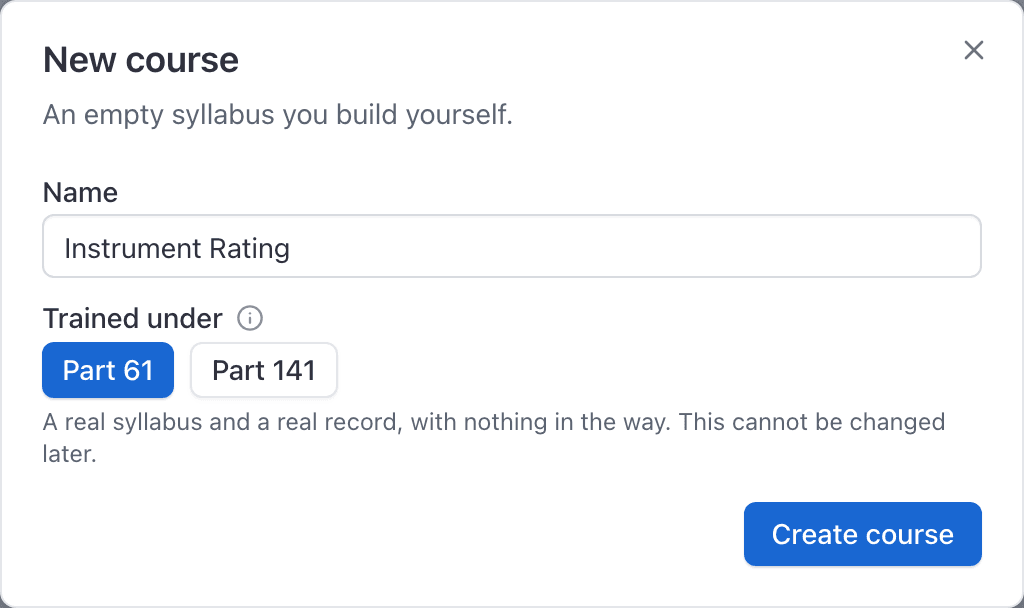
Click Create course
The console opens the new course's Syllabus tab.
What you get: a draft called Rev A#
Either route leaves you with one course holding one draft version labelled Rev A. Nothing is published, so nothing is locked and everything is editable.
The header badge marks the version Draft and safe to edit while that is true. There is no version dropdown in the header yet: it appears only once a course has more than one version, so everything in the Syllabus, Requirements and Students sections is Rev A.
Next:
- Add hour and landing requirements first, so the Credits toward box has something in it.
- Build a syllabus: stages, lessons and tasks.
- Set the grading scale if S, U and I do not suit you.
- Publish the version when it is finished.
What the templates will not do for you#
- They are Part 61. They cannot be converted.
- The lesson sequence is not from any regulation. It is a sensible order, not an approved one. Expect to change it.
- They are not an approved Training Course Outline. Approval is per school and per FSDO.
- They do not know your fleet, your rates or your local airspace. Objectives and completion standards are generic, and worth a read before your first student flies them.
Still stuck on this?
Email support@aerscheduler.com and tell us what you were trying to do. We answer.