
Correct a signed lesson record
A signed record can never be edited. Amend it instead: the original stays on the record struck through and a correction is created beside it. The hours come back only when you sign the correction.
For instructors and admins
A signed record can never be edited. Open the student's record, go to Lessons, click Amend on the signed record, say why, then fix and sign the correction that appears beside it. The original stays on the record, struck through and badged Superseded.
Amend the record#
WebTraining → Students → the student → LessonsFind the signed record
Expand the lesson. Each record underneath shows its own state: Grading, Awaiting student, Signed, Superseded.
Click Amend
Only a signed record has one. A draft carries Continue and Sign instead, so if you cannot find Amend, the record is not signed yet: edit it directly.
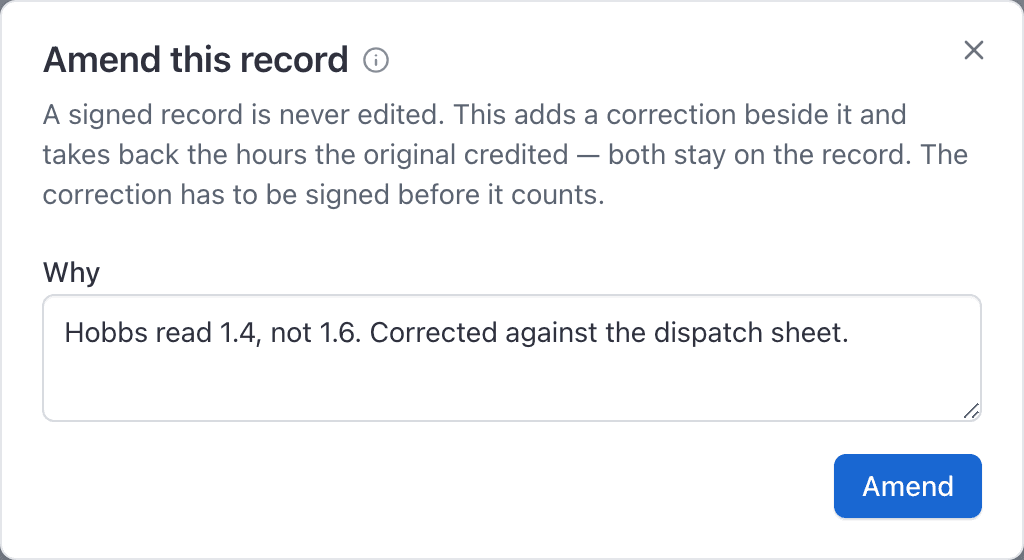
Say why, in the Why box
At least three characters, and worth writing properly: this reason is stored on the reversal in the ledger and is what an inspector reads. Something like "Landed 12 minutes before official night."
Click Amend
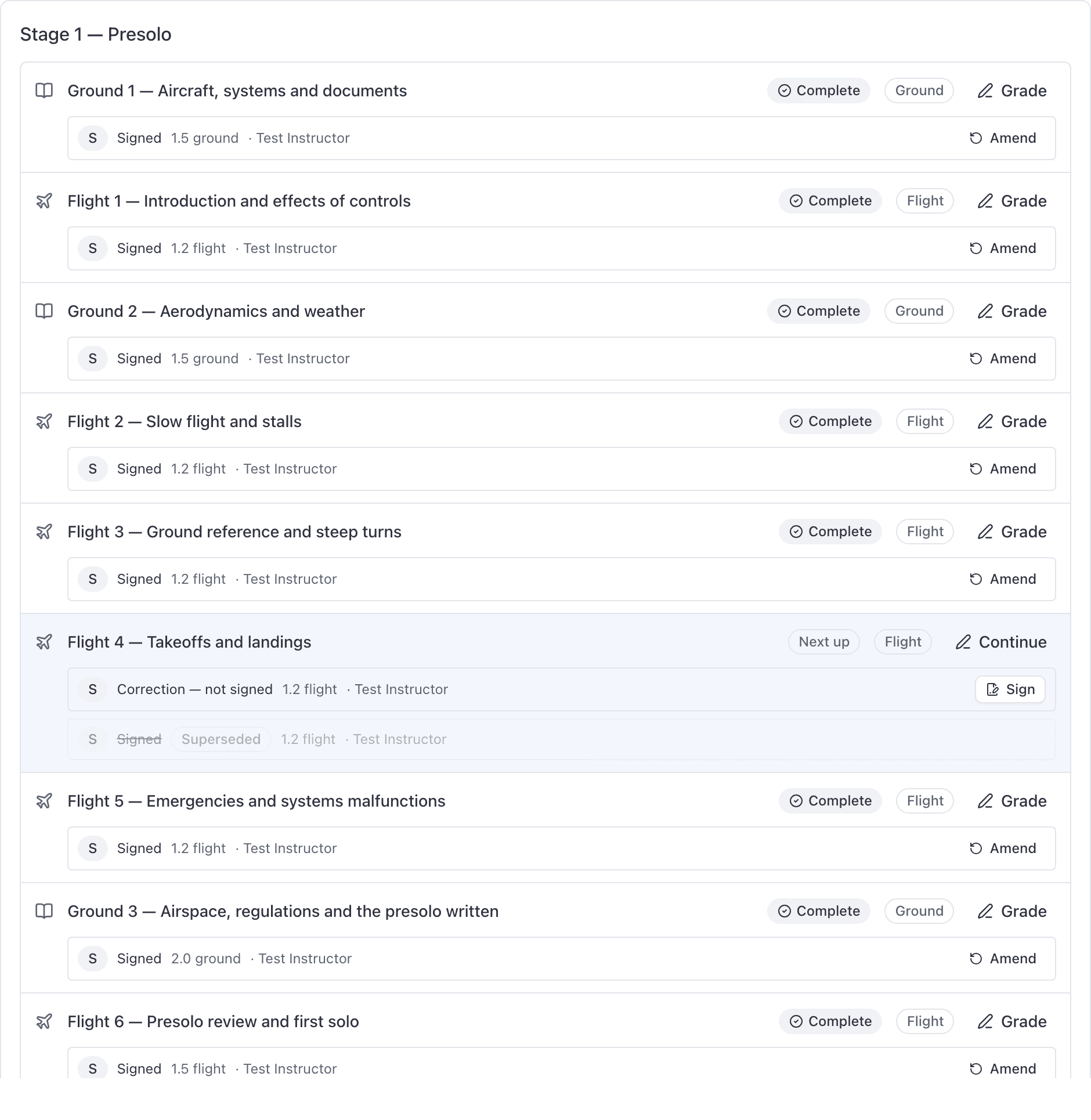
A new record appears beside the original, badged Correction, not yet signed.
Why the numbers drop straight away#
The correction arrives unsigned, and only a signed record counts. So the moment you click Amend, before you have changed anything:
- the lesson stops counting toward lessons complete, and
- every hour the original credited is reversed out of the ledger with a negative entry.
That is intended. A record somebody has declared wrong should not keep crediting hours while it is being fixed.
Finish and sign the correction#
Find the new record, click Continue, fix the grade, hours and notes, then Save and sign. The correction starts from the original's grade, hours, notes and task grades, so usually you are changing one number.
Signing the correction posts its credits, and the student's totals come back.
What an inspector sees afterwards#
Both records. The original stays signed and visible, struck through and flagged Superseded; the correction sits beside it. Both also appear on the Training records report, each with its own flag, and the reversal appears on the Ledger tab carrying your reason.
That is the whole point of amending rather than editing. Nothing is removed, so the history of the change is readable a year later. See Pull training records for an FAA inspection.
A record can only be amended once#
A record that has already been superseded cannot be amended again. If the correction is also wrong, amend the correction: it is a signed record in its own right once you have signed it.
Amending is web only#
The iPhone app does not offer Amend. A signed record shows there as a read-only Signed and final panel, and the screen tells you corrections are made in the web console.
What Superseded, Correction and Awaiting student mean on the Lessons tab.
The numbers dropped, the section vanished, the button is disabled.
Still stuck on this?
Email support@aerscheduler.com and tell us what you were trying to do. We answer.