
Choose which emails and push alerts you get
Notifications come by email and push to the iOS and Android apps, grouped by category so you can turn off the ones you do not need without losing the ones you do.
For owners, admins, dispatchers, instructors, students, renters and technicians
Email and push switches all live on WebNotification settings, reached from the menu under your organization's name at the top of the left rail, and on AppSettings → Notifications in the app. Channels are per school and save as you touch them.
Two places, two different jobs#
| Where | What it holds | |
|---|---|---|
| Notifications (the bell) | The bell in the console's top bar, then Notifications; the Inbox bubble in the app | Everything that has happened to you, with an unread count. Paged and searchable |
| Notification settings | Your organization's name → Notification settings | Which of those things also reach you by email or push |
In the iOS or Android app, tapping a notification takes you to the thing it is about. The maintenance shop's notices (requests, jobs, findings, an owner's aircraft) open in the web console; the app does not have those pages yet.
In the web console, the bell and unread count update live when something new lands, without refreshing the page.
Choose which emails and push alerts you get#
Open the menu under your organization's name at the top of the left rail and choose Notification settings
Or go straight to app.aerscheduler.com/me/notifications.
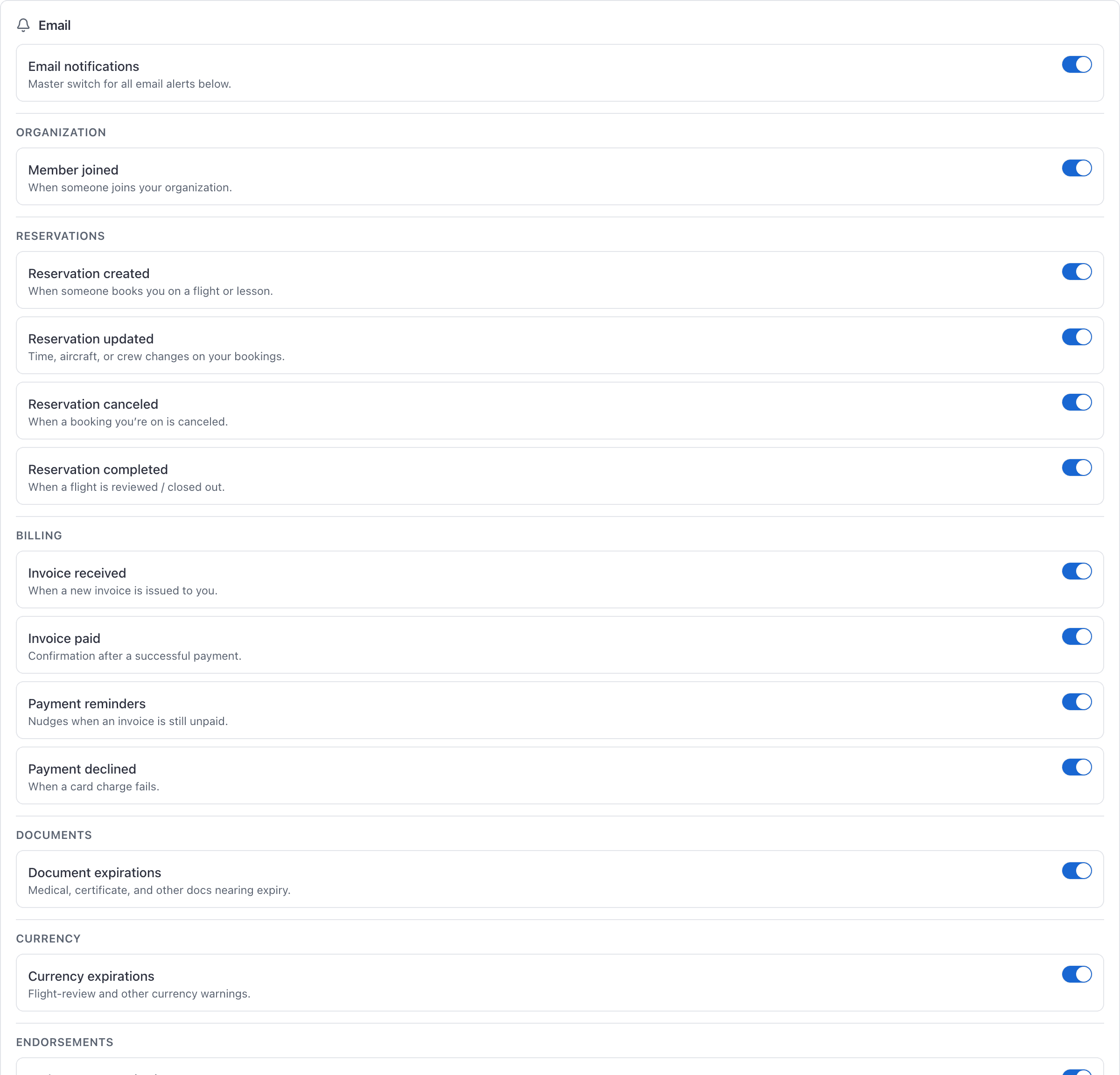
Leave Email notifications and Push notifications on
Each channel has its own master switch at the top of its card. Everything below is a category.
Turn off the categories you do not want
Each one saves immediately. There is no Save button. Channels are independent: turning reservation email off does not turn reservation push off.
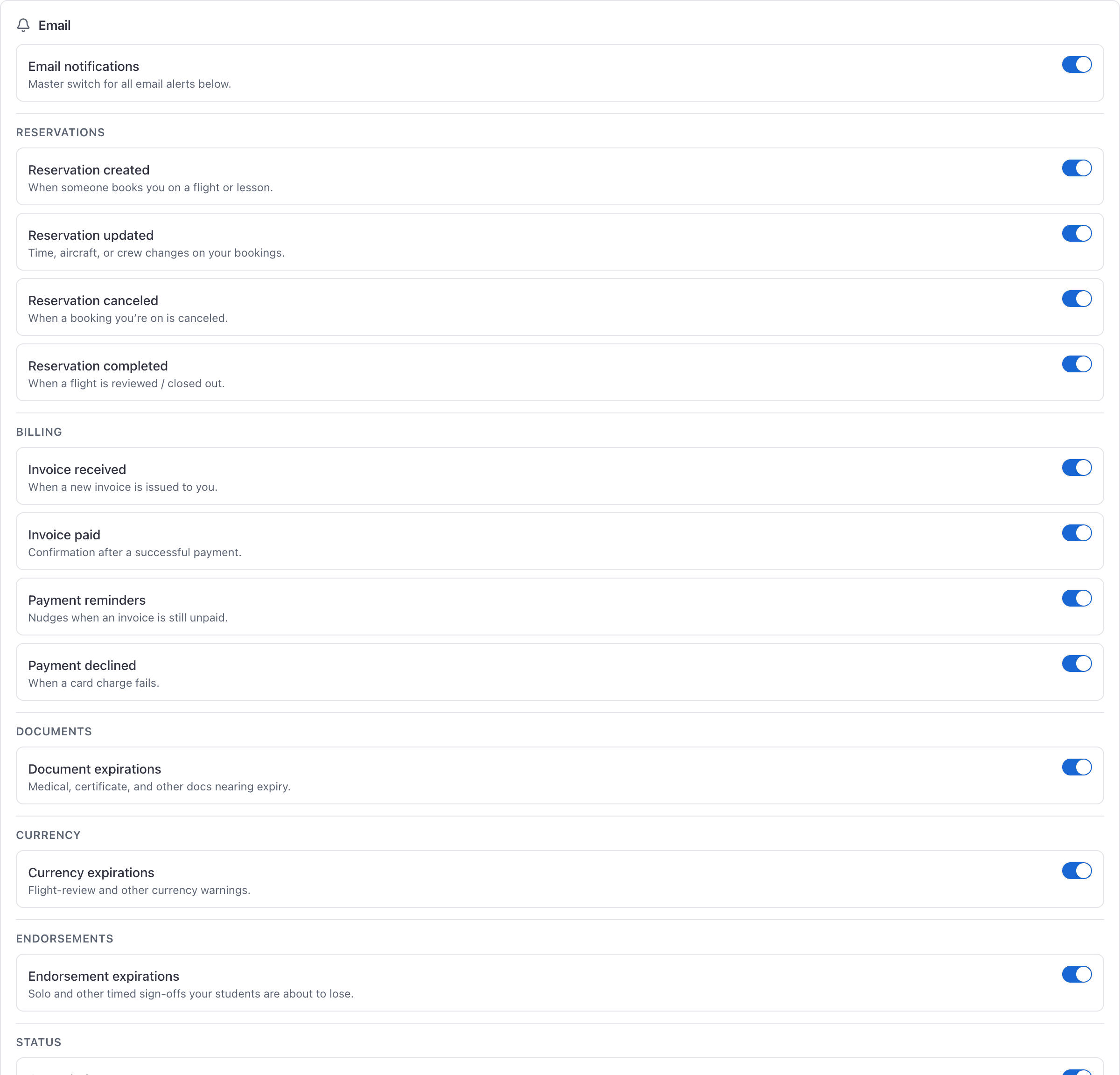
The categories#
| Group | Covers | Who sees the group |
|---|---|---|
| Organization | A member joining your school | Admins |
| Reservations | A booking created, updated, cancelled, completed, a reminder to ramp in or close one out, review reminders, and standby / slot offers | Everyone |
| Messages | A new message or mention. Push is on and email is off to start; email is one roundup of what is still unread after 15 minutes, and your phone stays quiet while you use the console. See Message people in your organization | Everyone |
| Billing | An invoice received, paid or declined; payment reminders; ledger top-ups, auto-refill, late-fee reminders and statements when Account ledger is on | Everyone |
| Documents | A document about to expire | Everyone |
| Currency | A currency about to expire | Everyone |
| Endorsements | An endorsement about to expire | Instructors and admins |
| Maintenance | Inspection reminders, and New ADs for our aircraft (a newly published AD names one of your aircraft, while your organization has Find the ADs for our aircraft on) | Admins and technicians |
| Maintenance shop | New requests from aircraft owners, and Activity on my jobs (put on a job; its owner answers, adds photos or updates the times). A Customer aircraft inspections setting above the cards picks which customers' aircraft you hear about; until you choose, it shows what you get by default | Technicians and admins, where your organization runs a maintenance shop |
| Your aircraft | Work on my aircraft (what the shop sends you, booked in, arrived, ready, the date moved) and Inspection reminders | Anyone who owns an aircraft the organization looks after |
| Status | Being grounded | Everyone |
| Announcements | School-wide notices from admins | Everyone |
Groups you would never receive anything from are hidden rather than shown greyed out, which is why two people at the same school see different pages. An aircraft owner from outside the organization sees only Billing and Your aircraft.
Push delivery still needs the phone#
You can choose push categories from the console. The alerts themselves only land on a device with the AerScheduler app signed in. Email still arrives if you have no phone app.
What the master switch does not stop#
Preferences are per school#
If you fly at two schools you have two sets of switches. Switch schools first, then set the preferences for that school.
Still stuck on this?
Email support@aerscheduler.com and tell us what you were trying to do. We answer.